Complete Guide to MAGeCK CRISPR Screen Analysis: From Raw Reads to Biological Insights
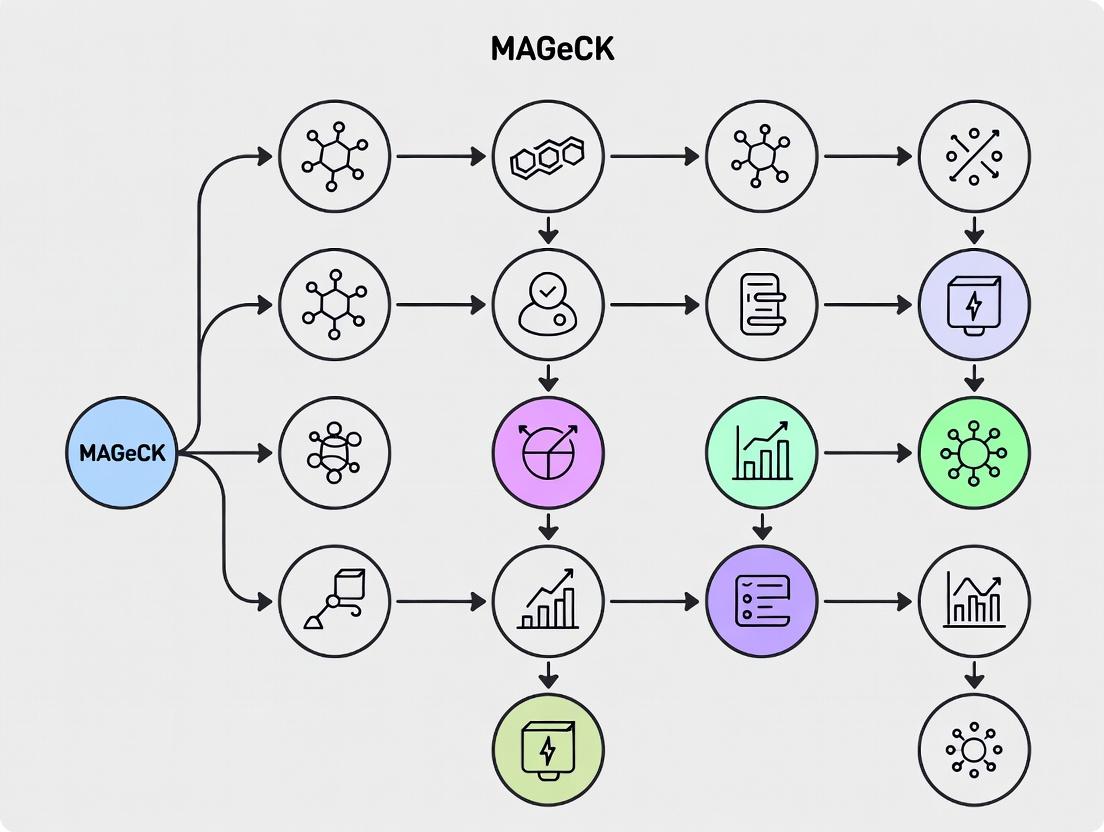
This comprehensive guide details the complete MAGeCK workflow for analyzing CRISPR-Cas9 knockout and activation screens.
Complete Guide to MAGeCK CRISPR Screen Analysis: From Raw Reads to Biological Insights
Abstract
This comprehensive guide details the complete MAGeCK workflow for analyzing CRISPR-Cas9 knockout and activation screens. Designed for researchers and drug development professionals, it covers foundational concepts, step-by-step methodology with code examples, troubleshooting for common issues, and comparative validation against alternative tools. Readers will learn to process raw sequencing data, identify essential genes, perform pathway enrichment, and rigorously interpret results for target discovery and functional genomics.
Understanding CRISPR Screens and the MAGeCK Advantage
What is a CRISPR Screen? Defining Knockout vs. Activation Screens
A CRISPR screen is a large-scale, functional genomics approach that uses the CRISPR-Cas9 system to systematically perturb (knock out or modulate) thousands of genes across the genome in a population of cells. The goal is to identify genes that influence a specific phenotype of interest, such as cell survival, drug resistance, or a reporter signal. The readout is then analyzed to identify genes whose perturbation causes the phenotype to change, linking gene function to biological outcome.
There are two primary functional screening modalities:
- CRISPR Knockout (CRISPRko) Screen: Utilizes the endonuclease Cas9 to create double-strand breaks in the DNA of a target gene, leading to frameshift mutations and a complete loss of function (knockout). This is the most common screening type and is ideal for identifying genes essential for survival or growth under selective conditions.
- CRISPR Activation (CRISPRa) Screen: Employs a catalytically "dead" Cas9 (dCas9) fused to transcriptional activation domains (e.g., VP64, p65). This complex is guided to the promoter or enhancer region of a target gene to upregulate its expression. This gain-of-function approach is used to identify genes whose overexpression confers a phenotypic advantage.
Within the context of thesis research on the MAGeCK workflow (Model-based Analysis of Genome-wide CRISPR/Cas9 Knockout), the focus is predominantly on analyzing data from CRISPRko screens. MAGeCK is a comprehensive computational toolset designed to robustly identify positively and negatively selected genes from CRISPR screen data, accounting for guide RNA efficiency and variance.
Experimental Protocols
Protocol 1: Performing a Pooled CRISPRko Screen
This is a standard protocol for a viability/death screen to identify essential genes.
- Library Design & Cloning: Select a genome-wide or sub-library of sgRNAs (e.g., Brunello, GeCKO). Clone the oligo pool into a lentiviral sgRNA expression backbone.
- Lentivirus Production: Produce lentiviral particles containing the sgRNA library in HEK293T cells.
- Cell Infection & Selection: Infect the target cell population at a low Multiplicity of Infection (MOI ~0.3-0.4) to ensure most cells receive only one sgRNA. Apply puromycin selection for 3-7 days to generate a stable, polyclonal population.
- Harvest Initial Timepoint (T0): Harvest at least 50 million cells (or a minimum representation of 500 cells per sgRNA) to maintain library complexity. Extract genomic DNA (gDNA).
- Apply Selection Pressure: Split the remaining cells into experimental (e.g., treated with a drug) and control (DMSO) arms. Culture for 14-21 population doublings to allow phenotype manifestation.
- Harvest Final Timepoint (T1): Harvest cells from all arms. Extract gDNA.
- ibrary Preparation & Sequencing: Amplify the integrated sgRNA sequences from gDNA using PCR with barcoded primers. Perform deep sequencing (e.g., Illumina NextSeq) to quantify sgRNA abundance in each sample.
- Data Analysis: Use MAGeCK to compare sgRNA read counts between T0/T1 or treatment/control to identify depleted or enriched genes.
Protocol 2: Analyzing Screen Data with MAGeCK
This protocol details the core computational analysis.
- Data Preprocessing: Demultiplex sequencing reads. Use
mageck countto align reads to the library reference and generate a count table for all sgRNAs in all samples. - Quality Control: Assess read depth, distribution, and sgRNA dropout. Check replicate correlation.
- Test for Selection: Use
mageck testto perform robust rank aggregation (RRA) on sgRNA counts to identify significantly enriched or depleted genes between specified conditions. - Pathway & Visualization: Use
mageck pathwayfor gene set enrichment analysis (GSEA) on the ranked gene list. Generate visualizations (rank plots, volcano plots) from MAGeCK outputs.
The Scientist's Toolkit: Research Reagent Solutions
| Item | Function in CRISPR Screen |
|---|---|
| Validated sgRNA Library (e.g., Brunello) | A pre-designed, highly active, and specific collection of sgRNAs targeting each gene in the genome (4-10 sgRNAs/gene). Reduces false positives. |
| Lentiviral Packaging Mix (psPAX2, pMD2.G) | Second-generation packaging plasmids required to produce replication-incompetent lentiviral particles for efficient, stable cell transduction. |
| Polybrene (Hexadimethrine bromide) | A cationic polymer that enhances viral transduction efficiency by neutralizing charge repulsion between virions and the cell membrane. |
| Puromycin Dihydrochloride | A selection antibiotic for mammalian cells. Used to kill untransduced cells after lentiviral delivery of constructs containing a puromycin resistance gene. |
| DNeasy Blood & Tissue Kit (Qiagen) | A reliable method for high-yield, high-quality genomic DNA extraction from pelleted cells, essential for subsequent sgRNA amplification. |
| KAPA HiFi HotStart PCR Kit | A high-fidelity polymerase system for accurate and robust amplification of sgRNA sequences from genomic DNA prior to sequencing. |
| NEBNext Ultra II DNA Library Prep Kit | For preparing high-complexity, barcoded sequencing libraries from amplified sgRNA products for Illumina platforms. |
| MAGeCK Software Package | The core computational workflow for the statistical analysis of CRISPR screen data to identify phenotype-significant genes. |
Troubleshooting Guides & FAQs
FAQ 1: My screen shows poor replicability between biological replicates. What could be the cause?
- Low Library Coverage: Ensure you maintain a high representation (≥500 cells per sgRNA) at T0 harvesting. Low coverage leads to high stochastic noise.
- Inefficient Infection/Selection: Confirm puromycin kill curve and ensure MOI is low (<0.5). High MOI can cause multiple integrations per cell.
- Genomic DNA Extraction Bias: Use a consistent, high-quality gDNA extraction method for all samples. Inconsistent yields can skew counts.
FAQ 2: After MAGeCK analysis, I get an extremely high number of significant hits, many of which are likely false positives. How can I refine this?
- Adjust sgRNA-Level Filtering: Remove sgRNAs with low counts (e.g., < 30) across all samples before analysis in
mageck countusing the--min-countparameter. - Use a More Stringent Cutoff: Apply a stricter False Discovery Rate (FDR) threshold (e.g., 1% instead of 5%) and require a minimum fold-change in the RRA score.
- Check Control Comparisons: Run MAGeCK on control vs. control replicates (e.g., T0 vs. T0). Any "significant" genes here indicate batch effects or technical noise that needs addressing.
FAQ 3: How do I choose between a knockout (CRISPRko) and an activation (CRISPRa) screen for my research question? Refer to the decision table below.
Table 1: Key Considerations for Selecting CRISPR Screen Type
| Factor | CRISPR Knockout (CRISPRko) Screen | CRISPR Activation (CRISPRa) Screen |
|---|---|---|
| Primary Goal | Identify genes whose LOSS causes the phenotype. | Identify genes whose GAIN/OVEREXPRESSION causes the phenotype. |
| Typical Applications | Finding essential genes, synthetic lethality partners, tumor suppressors, drug resistance mechanisms (loss-of-function). | Finding genes that rescue a phenotype, oncogene identification, differentiation drivers, enhancing specific cellular functions. |
| Molecular Tool | Wild-type Cas9 nuclease. | dCas9 fused to transcriptional activators (e.g., dCas9-VP64). |
| Targeting | Coding exons (early) to induce frameshifts. | Promoter or enhancer regions (typically -200 to +50 bp from TSS). |
| Phenotype Strength | Generally strong, binary (knockout). | Can be subtler, tunable (overexpression level). |
| Analysis Workflow | MAGeCK is optimized for this data type, looking for depleted sgRNAs under selection. | MAGeCK can be used, but the primary signal is enrichment of sgRNAs. |
FAQ 4: The viral titer from my lentiviral production is too low to achieve the desired MOI. How can I improve it?
- Optimize Transfection: Ensure HEK293T cells are >90% viable and at optimal density (~70% confluency). Use a high-quality transfection reagent and optimize DNA:reagent ratios.
- Concentrate Virus: Use ultracentrifugation (70,000 x g for 2h at 4°C) or commercial lentiviral concentrator solutions (e.g., PEG-it) to increase titer.
- Fresh Harvest: Collect viral supernatant at 48 and 72 hours post-transfection. Filter through a 0.45µm PVDF filter immediately to remove cell debris, which degrades titer.
Visualization: CRISPR Screen Workflow & Analysis
CRISPR Screen and MAGeCK Analysis Pipeline
Mechanism of Action: CRISPRko vs CRISPRa
Technical Support Center: Troubleshooting Guides and FAQs
Frequently Asked Questions
Q1: I get very few significant genes in my MAGeCK test output. What are the primary causes and solutions? A: Low gene significance typically stems from insufficient screen quality or suboptimal parameter selection. Key checks include:
- Library Coverage: Ensure sequencing depth is sufficient. A minimum of 200-500 reads per sgRNA is recommended for genome-wide libraries. Use
mageck test -count.txtto check mean counts. - Negative Control Quality: The negative control sgRNA set must be genuinely non-targeting and exhibit neutral behavior. Poor controls inflate false positives but can also mask true hits.
- Parameter Adjustment: Consider relaxing the
--control-sgrnaassignment or adjusting the false discovery rate (--fdr) threshold in themageck testcommand. Re-evaluate the read count threshold used inmageck count.
Q2: How do I interpret the MAGeCK output file (gene_summary.txt) and what do the key columns mean?
A: The gene_summary.txt file is the primary result. Key columns are:
| Column Name | Description | Typical Interpretation |
|---|---|---|
id |
Gene symbol. | The targeted gene. |
num |
Number of sgRNAs targeting the gene. | Check for adequate coverage (usually 3-10). |
neg|score |
Combined beta score from negative selection. | Negative values indicate fitness genes (dropout in treatment). More negative = stronger effect. |
neg|p-value |
P-value for negative selection score. | Raw significance for gene dropout. |
neg|fdr |
False Discovery Rate for negative selection. | Primary metric. Genes with neg|fdr < 0.05 are significant hits. |
pos|score |
Combined beta score from positive selection. | Positive values indicate resistance genes (enriched in treatment). |
pos|p-value |
P-value for positive selection score. | Raw significance for gene enrichment. |
pos|fdr |
False Discovery Rate for positive selection. | Primary metric. Genes with pos|fdr < 0.05 are significant hits. |
Q3: What are the common causes of errors during the mageck count step and how can I fix them?
A: The count step maps FASTQ reads to the sgRNA library. Common issues:
- Error: "No reads can be mapped."
- Cause 1: Incorrect library file format or path. The library file must be a tab-separated file with at least
sgRNAandgenecolumns. - Solution: Validate the library file with
head your_library.txtand ensure the-lparameter points to the correct file. - Cause 2: Severe adapter contamination or poor read quality.
- Solution: Pre-process reads with a trimmer (e.g.,
cutadapt) to remove adapters before runningmageck count.
- Cause 1: Incorrect library file format or path. The library file must be a tab-separated file with at least
- Error: Low mapping rate (<60%).
- Cause: Read length too short, mismatches in sgRNA sequence, or using the wrong library.
- Solution: Specify
--trim-5if the sgRNA sequence does not start at the read's beginning. Verify the sgRNA sequences in your library match the reference used in the CRISPR construct.
Troubleshooting Guide: Experimental Design & Analysis
Issue: High Replicate Discrepancy in Hit Calling Symptoms: Significant gene lists from biological replicates show poor overlap. Diagnostic & Resolution Protocol:
- Perform QC Correlation: Use the
mageck testoutputsample_parameters.txtor compare normalized counts (fromcountoutput) between replicates. Calculate Pearson's R. - If R < 0.8: Investigate technical variability.
- Protocol: Re-normalize counts using alternative methods (e.g., median scaling,
--norm-methodinmageck test). - Protocol: Visually inspect count distributions with a Mean-Variance (MV) plot.
- Protocol: Re-normalize counts using alternative methods (e.g., median scaling,
- Apply Robust Rank Aggregation (RRA): MAGeCK's RRA algorithm is designed to be robust to outliers. Ensure you are using the default
--gene-test-fdrmethod. - Re-evaluate Controls: Confirm negative controls behave consistently across replicates.
Core Algorithm & Statistical Framework in Thesis Context
Within a thesis on MAGeCK workflow, the core algorithm is presented as a multi-stage statistical model for identifying essential (negative selection) and resistance (positive selection) genes from CRISPR screen read count data.
Detailed Methodology: MAGeCK's Statistical Workflow
1. Read Count Normalization:
- Protocol: MAGeCK uses a median normalization method. The count for each sgRNA in each sample is scaled so that the median count of all sgRNAs in that sample equals the median count across all samples.
- Command: Typically integrated into
mageck testvia the--norm-methodparameter.
2. Beta Score Estimation (Modeling sgRNA Efficiency):
- Protocol: For each sgRNA i, a generalized linear model (GLM) estimates a beta score (β_i), representing its log2 fold-change effect. The model accounts for variances across different samples and conditions.
- Formula (Conceptual): log2(ReadCountij) = μ + βi * Xj + εij, where Xj indicates treatment/control, and εij is noise.
3. Gene-Level Statistic Aggregation (Robust Rank Aggregation - RRA):
- Protocol: This is MAGeCK's key innovation. Instead of averaging beta scores, it ranks all sgRNAs by their β_i within a given sample. For a gene with k sgRNAs, it evaluates if its sgRNAs are enriched at the top (for positive selection) or bottom (for negative selection) of the rank list more than expected by chance.
- Algorithm Steps: a. Rank all sgRNAs from most depleted to most enriched. b. For a gene's set of sgRNAs, calculate an enrichment score based on the hypergeometric distribution. c. Iteratively remove the top-ranked sgRNA and recalculate, forming a distribution of scores. d. The RRA score (ρ) is the minimum of these scores, representing the gene's significance.
4. P-value and FDR Calculation:
- Protocol: P-values for each gene's ρ score are derived via permutation testing (shuffling sgRNA-gene labels). False Discovery Rates (FDR) are then computed using the Benjamini-Hochberg procedure to correct for multiple hypothesis testing.
MAGeCK Core Algorithm Visualization
The Scientist's Toolkit: MAGeCK Research Reagent Solutions
| Item | Function in MAGeCK Workflow | Key Consideration |
|---|---|---|
| CRISPR sgRNA Library (e.g., Brunello, GeCKO) | A pooled collection of plasmids encoding sgRNAs targeting genes of interest. Provides the genetic perturbation. | Ensure library design matches your species and gene annotation. Quality of non-targeting controls is critical. |
| Next-Generation Sequencing (NGS) Platform (e.g., Illumina) | Generates the raw read data (FASTQ) for sgRNA abundance quantification. | Requires sufficient depth (500x min coverage). Single-end 75bp reads are often sufficient. |
| sgRNA Library Sequence File (.txt) | A tab-delimited file linking each sgRNA ID to its target gene and sequence. Essential for mageck count. |
Must exactly match the constructs used. Format: sgRNA\tgene\tsequence. |
| High-Quality Genomic DNA | Isolated from pooled cell populations post-selection for NGS library prep. | Purity and yield affect PCR amplification bias. Use kits designed for fragmented DNA. |
| PCR Reagents for NGS Library Prep | Amplifies the integrated sgRNA cassette from genomic DNA for sequencing. | Minimize PCR cycles to reduce duplicate reads. Use high-fidelity polymerase. |
| MAGeCK Software Suite | The core analysis toolkit (count, test, visualize, etc.). |
Install via conda (conda install -c bioconda mageck) for latest version and dependencies. |
| Statistical Computing Environment (R/Python with pandas) | For downstream analysis and visualization of MAGeCK results (e.g., volcano plots, pathway enrichment). | Required for customized analysis beyond the command-line tool's output. |
Troubleshooting Guides & FAQs
Data Pre-processing & Quality Control
Q1: After running MAGeCK count, my sgRNA read counts file shows many zeros or extremely low counts. What could be the cause and how can I fix it? A: Low counts typically indicate poor library transduction, inefficient PCR amplification, or sequencing depth issues.
- Troubleshooting Steps:
- Verify Sequencing Depth: Ensure you have sufficient sequencing coverage (typically 200-500 reads per sgRNA is recommended). Re-sequence the library if coverage is low.
- Check PCR Amplification: Use a high-fidelity polymerase and minimize PCR cycle numbers (e.g., 12-16 cycles) to prevent bias. Validate primer efficiency.
- Assess Transduction Efficiency: Ensure the multiplicity of infection (MOI) is ~0.3-0.4 to maximize single-integration events. Titrate your viral supernatant.
- In MAGeCK count: Use the
--trim-5or--trim-3parameters if poor sequencing quality at read ends is suspected. Re-examine your FASTQ quality reports.
Q2: How do I interpret the MAGeCK test output file (gene_summary.txt), specifically the negative beta scores and positive FDR values?
A: The beta score (β) represents gene essentiality. A negative β indicates gene depletion (potential essential gene), while a positive β indicates enrichment (potential drop-out gene). The False Discovery Rate (FDR) controls for multiple testing.
- Interpretation Guide:
- Essential Gene: Negative β, Low p-value (e.g., <0.05), Low FDR (e.g., <0.05 or <0.1).
- Non-essential Gene: β near zero, High FDR.
- Significantly Enriched Gene: Positive β, Low p-value, Low FDR.
- Key Thresholds: FDR cutoff is user-defined; 10% (0.1) is common in discovery screens.
Analysis & Interpretation
Q3: When comparing two conditions (e.g., treatment vs. control), how do I properly set up the MAGeCK mle or RRA analysis to identify conditionally essential genes? A: Use MAGeCK's comparative analysis workflow (MAGeCK mle for robust linear model, or MAGeCK RRA for dual comparisons).
- Protocol for MAGeCK mle (Recommended for multiple conditions):
- Prepare a count matrix from
mageck count. - Create a design matrix (
designmatrix.txt) specifying sample groupings. - Create a contrast matrix (
contrastmatrix.txt) defining the comparisons (e.g., Treatment - Control). - Run:
mageck mle --count-table count.txt --design-matrix designmatrix.txt --contrast-matrix contrastmatrix.txt --output-prefix output - Analyze the
gene_summary.txtfile for the specified contrast. Genes with significant beta scores in the contrast are conditionally essential.
- Prepare a count matrix from
Q4: What are the main differences between the RRA and mle algorithms in MAGeCK, and when should I choose one over the other? A: The choice depends on your experimental design.
| Algorithm | Key Principle | Best Use Case | Output Emphasis |
|---|---|---|---|
| RRA (Robust Rank Aggregation) | Ranks sgRNAs by log-fold change, aggregates to gene level. | Simple comparison of two groups (e.g., endpoint vs. initial). | Identifies top-ranked essential/enriched genes. |
| MLE (Maximum Likelihood Estimation) | Uses a generalized linear model to estimate beta scores. | Complex designs: multiple conditions, time-series, or incorporating sgRNA efficiency. | Provides effect size (β) for each gene in each condition. |
Experimental Validation
Q5: I have identified a list of candidate essential genes from MAGeCK. What is the standard workflow for experimental validation? A: Validation requires orthogonal methods.
- Detailed Validation Protocol:
- Secondary CRISPR Validation: Design 4-6 new independent sgRNAs per target gene in a separate vector (e.g., lentiviral sgRNA-only). Transduce target cells and perform a proliferation/viability assay (e.g., CellTiter-Glo) over 7-14 days.
- Pharmacological Inhibition (If applicable): If the gene product is druggable, use a small-molecule inhibitor in dose-response assays.
- Rescue Experiment: Introduce a cDNA construct resistant to the sgRNA (via silent mutations) into the knockout cell line. Restoration of phenotype confirms on-target effect.
- Metrics: Calculate the phenotypic effect size (e.g., fold-change in viability) and compare it to the MAGeCK beta score for correlation.
The Scientist's Toolkit: Research Reagent Solutions
| Item | Function in CRISPR Screen Analysis |
|---|---|
| Lentiviral sgRNA Library | Delivers the CRISPR-Cas9 machinery and guides into target cells for genome-wide or focused screening. |
| Puromycin/Blasticidin | Antibiotics for selecting successfully transduced cells post-viral infection. |
| CellTiter-Glo / MTS Reagent | Cell viability assay reagents to measure proliferation changes for validation studies. |
| High-Fidelity PCR Kit | For amplifying the sgRNA region from genomic DNA pre-sequencing with minimal bias. |
| NEBNext Ultra II FS DNA Kit | Prepares high-quality sequencing libraries from amplified sgRNA PCR products. |
| MAGeCK Software Suite | The core computational toolkit for processing count data and calculating essentiality scores. |
Essential Workflows & Pathways
CRISPR Screen Analysis with MAGeCK
sgRNA to Gene-Level Analysis Flow
Gene Essentiality Interpretation Logic
Troubleshooting Guides & FAQs
Q1: Our MAGeCK analysis shows inconsistent gene rankings between biological replicates. What are the key experimental design factors to check? A: Inconsistent rankings often stem from inadequate controls or insufficient sequencing depth. First, verify that your experimental design includes both positive and negative control sgRNAs. Positive controls (targeting essential genes) should consistently deplete, while negative controls (targeting non-essential or safe-harbor genes) should remain stable. If controls behave as expected, the issue may be with replicate concordance. Ensure you have a minimum of three biological replicates to robustly account for biological variation. Calculate the Pearson correlation between replicate log-fold changes; a coefficient below 0.7 suggests high variability. Lastly, confirm that each replicate achieved sufficient sequencing depth (see Q3).
Q2: How do we determine and incorporate appropriate control sgRNAs for a CRISPR screen? A: Control sgRNAs are non-negotiable for normalization and quality assessment. Your library should contain two types:
- Negative Controls: Non-targeting sgRNAs (at least 50-100) with no known target in the genome, or sgRNAs targeting genomic regions with no phenotypic effect (e.g., AAVS1). These set the baseline for "no effect."
- Positive Controls: sgRNAs targeting pan-essential genes (e.g., POLR2A, RPL30), expected to strongly deplete in viability screens. These confirm screen functionality.
Protocol for Control Implementation:
- Design or obtain a library where controls constitute 5-10% of total sgRNAs.
- During analysis with MAGeCK, use the
--control-sgrnaparameter to specify the negative control set. MAGeCK uses these to normalize read counts across samples. - Visually inspect the read count distribution of controls versus targeting sgRNAs in the raw data.
Q3: What is sufficient sequencing depth for a genome-wide CRISPR knockout screen, and how is it calculated? A: Insufficient depth is a major cause of false negatives. The required depth depends on library size and desired replicate robustness.
Key Calculation:
Minimum Reads per Sample = (Library Size in sgRNAs) x (Desired Coverage)
For a typical 5-sgRNA/gene library targeting 20,000 genes (100,000 sgRNA library), a minimum coverage of 200-500 reads per sgRNA is recommended. This translates to 20-50 million reads per sample.
Table 1: Recommended Sequencing Depth by Library Scale
| Library Scale | Approx. sgRNA Count | Target Coverage | Minimum Recommended Reads per Sample |
|---|---|---|---|
| Genome-wide (Human) | 100,000 | 500x | 50 million |
| Sub-library (Pathway) | 10,000 | 500x | 5 million |
| Focused (~100 genes) | 500 | 1000x | 0.5 million |
Protocol for Depth Verification:
- After sequencing, demultiplex samples and count sgRNA reads using
mageck count. - Check the output summary file (
*_summary.txt) for the percentage of sgRNAs with counts > 30. This should be > 90% for all samples. - If depth is low, increase sequencing in subsequent runs or use read duplication techniques cautiously, as MAGeCK flags potential PCR bias.
Q4: How should we handle samples with low sgRNA representation or high dropout after sequencing? A: High dropout (sgRNAs with 0 counts) indicates poor library transduction, insufficient depth, or a PCR bottleneck.
- Prevention: Maintain a high representation (500x coverage) at the infection step. Use adequate PCR cycles during library prep—avoid over-amplification (typically 12-16 cycles).
- Troubleshooting: If dropout is observed, first filter the count table. Standard practice is to remove sgRNAs with counts < 30 across all samples before running
mageck test. If dropout is systemic (>20% of sgRNAs), the sample may need to be re-sequenced or the experiment repeated.
Q5: What are the critical sample-level controls to include in the experimental design before sequencing? A: Beyond sgRNA controls, these sample-level controls are vital:
- T0 Sample: Harvest cells 48-72 hours post-transduction, before selection. This provides the baseline sgRNA distribution.
- Plasmid DNA (pDNA) Sample: Sequence the original sgRNA plasmid library. Controls for PCR and sequencing bias.
- Non-infected Control: Cells not exposed to the virus. Controls for background in genomic DNA extraction.
- Treatment vs. Vehicle Control: For modifier screens (e.g., drug treatment), include properly matched vehicle-treated cells.
Diagram 1: Key decision flow for CRISPR screen experimental design.
The Scientist's Toolkit: Research Reagent Solutions
Table 2: Essential Materials for CRISPR Screen Execution & Analysis
| Item | Function in MAGeCK Workflow Context |
|---|---|
| Validated sgRNA Library (e.g., Brunello, GeCKO) | Pre-designed, high-efficacy library ensuring on-target activity and minimal off-target effects. Foundation for screen. |
| High-Titer Lentiviral Packaging System | Produces virus at sufficient titer to ensure low MOI (<0.3) infection, minimizing multiple sgRNA integration per cell. |
| Puromycin or other Selection Antibiotic | Selects for cells successfully transduced with the sgRNA-containing vector, typically for 3-7 days post-infection. |
| Next-Generation Sequencing Platform (Illumina) | Generates the raw read data (FASTQ files) required for sgRNA abundance quantification. |
| MAGeCK Software Suite (v0.5.9+) | Core computational tool for quality control (mageck count), statistical testing (mageck test), and visualization (mageck vis). |
| Genomic DNA Extraction Kit (High-Yield) | Extracts gDNA from a representative number of cells (typically >1000x library coverage) for sgRNA amplification prior to sequencing. |
| High-Fidelity PCR Master Mix | Amplifies sgRNA region from gDNA or plasmid for sequencing with minimal bias. Critical for accurate representation. |
| Barcoded Sequencing Primers | Allows multiplexing of multiple samples in one sequencing run. Unique barcodes are needed for T0, Tfinal, pDNA, and replicates. |
Diagram 2: Core MAGeCK workflow for data analysis from FASTQ to results.
Frequently Asked Questions (FAQs)
Q1: I get a "Permission denied" error when trying to run mageck test. What should I do?
A: This is often a PATH or installation issue. First, verify the installation by running mageck --version. If it fails, ensure the MAGeCK binaries are in a directory included in your system's PATH environment variable. You can add the installation directory to your PATH by editing your shell profile file (e.g., ~/.bashrc or ~/.zshrc). For example, add the line: export PATH="$PATH:/usr/local/bin" or the path to your mageck folder. Then, run source ~/.bashrc.
Q2: During dependency installation with conda, I encounter environment conflicts or "Solving environment" hangs indefinitely. How do I resolve this? A: Conda environment conflicts are common. The recommended solution is to create a fresh, dedicated environment for MAGeCK with a specific Python version.
- Create a new environment:
conda create -n mageck-env python=3.9 - Activate it:
conda activate mageck-env - Install MAGeCK directly via conda:
conda install -c bioconda mageck. This method allows conda to resolve dependencies in isolation.
Q3: The MAGeCK R package (mageckFlute) fails to install in RStudio with a dependency error on "ggplot2" or "stringr".
A: This indicates that some R system dependencies are missing. MAGeCK's visualization package, mageckFlute, relies on several CRAN and Bioconductor packages. Install them manually in R before installing mageckFlute:
Q4: My MAGeCK run fails with a memory error when processing a large dataset. How can I optimize this? A: MAGeCK can be memory-intensive for genome-wide screens. You can:
- Use the
--threadsoption to control the number of CPU threads (more threads require more RAM). Try reducing threads to 2 or 4. - Ensure your system has sufficient swap space.
- For the
testcommand, you can adjust the permutation number (--permutation-round) to a lower value (e.g., 1000) for quicker, less memory-intensive testing, though with slightly reduced statistical robustness.
Troubleshooting Guide
Issue: Python "ModuleNotFoundError" for numpy or scipy after installing MAGeCK.
Symptoms: Running mageck returns an error like ModuleNotFoundError: No module named 'numpy'.
Diagnosis: The Python dependencies for MAGeCK are not installed in your current Python environment.
Solution: Install the required Python packages using pip.
If you are using the conda environment, ensure it is activated and use conda install numpy scipy pandas matplotlib.
Issue: command not found: mageck on Linux/Mac.
Symptoms: The terminal does not recognize the mageck command after installation.
Diagnosis: The shell cannot locate the MAGeCK executable.
Solution:
- Find the installation path of MAGeCK (e.g.,
~/miniconda3/envs/mageck-env/bin/or/usr/local/bin/). - Add this path to your PATH variable. Open
~/.bashrc(or~/.zshrc) and add: - Reload the shell configuration:
source ~/.bashrc.
Issue: Zero reads or abnormal count statistics in MAGeCK's output count.txt file.
Symptoms: The count summary shows all zeros or extremely low total read counts.
Diagnosis: This is usually not an installation issue but a problem with the input FASTQ files or the alignment step. Common causes include incorrect library.csv format or mismatched barcodes/sgRNA sequences.
Solution:
- Re-examine your
library.csvfile. Ensure the format is correct with columnssgRNA,gene, and optionallycontrol. No extra spaces or headers. - Verify the sequence of the constant adapter region (
--library-adapter-seqinmageck count) matches your experimental setup. - Check the quality of your input FASTQ files with tools like FastQC.
Table 1: Recommended System Requirements for MAGeCK Installation
| Component | Minimum Requirement | Recommended for Large Screens |
|---|---|---|
| RAM | 4 GB | 16 GB or more |
| CPU Cores | 2 | 8+ |
| Disk Space | 1 GB free | 10 GB+ free |
| OS | Linux, macOS, or Windows Subsystem for Linux (WSL) | Linux |
| Python | Version 3.7, 3.8, 3.9 | Version 3.9 |
| R (for mageckFlute) | Version 3.6+ | Version 4.1+ |
Table 2: Common Installation Commands & Channels
| Method | Command | Primary Use Case |
|---|---|---|
| Conda (Bioconda) | conda install -c bioconda mageck |
Easiest, manages all dependencies. |
| Pip | pip install mageck |
If you have a managed Python environment. |
| From Source | python setup.py install |
For latest development version. |
| R Package | install.packages("mageckFlute") |
Installing the downstream analysis package. |
Experimental Protocol: Validating MAGeCK Installation
Objective: To confirm a successful and functional installation of MAGeCK and its core dependencies. Methodology:
- Version Check:
- Open a terminal or command prompt.
- Execute the command:
mageck --version - Expected Outcome: The terminal should print the installed version of MAGeCK (e.g.,
MAGeCK 0.5.9.4).
Help Documentation Test:
- Run:
mageck -h - Expected Outcome: A comprehensive help menu listing all available commands (
count,test,visualize, etc.) should be displayed.
- Run:
Dependency Verification:
- In a Python interpreter, run:
- Expected Outcome: The version numbers for each library are printed without any
ModuleNotFoundError.
Run a Test with Demo Data (Optional but thorough):
- Navigate to a working directory.
- Download the MAGeCK test data from the official repository.
- Run a basic
countandtestworkflow on the demo data to ensure all components are linked correctly.
Visualization: MAGeCK Installation & Validation Workflow
The Scientist's Toolkit: Research Reagent Solutions
Table 3: Essential Software & Environment Components for MAGeCK
| Item | Function | Notes |
|---|---|---|
| Conda / Miniconda | Package and environment manager. | Creates isolated environments to prevent dependency conflicts. Essential for bioconda. |
| Python (3.7-3.9) | Core programming language for MAGeCK. | MAGeCK does not support Python 2 or Python 3.10+ in some older versions. |
| R (≥3.6) & RStudio | Statistical computing for mageckFlute. |
Required for advanced visualization and pathway enrichment analysis. |
| Bioconda Channel | Repository for bioinformatics software. | Provides pre-compiled MAGeCK binaries and dependencies. |
| Text Editor / IDE | For editing scripts and library files. | e.g., VS Code, Sublime Text, or Vim. Critical for preparing library.csv. |
| Terminal / Shell | Command-line interface. | Necessary for executing all MAGeCK commands. |
| Git | Version control system. | Useful for downloading source code and tracking analysis scripts. |
Step-by-Step MAGeCK Workflow: From FASTQ to Hit Lists
Frequently Asked Questions (FAQs)
Q1: My FASTQC report shows "Per base sequence content" failures. What does this mean and how do I fix it? A: This is common in CRISPR screening libraries due to the constant sequence of the sgRNA region at the start of reads. It is expected and not a problem for alignment. You can ignore this specific warning.
Q2: I see a high percentage of reads flagged as "poor quality" by FASTQC. What are the main causes? A: The primary causes are:
- Adapter Contamination: Incomplete removal of sequencing adapters.
- Degraded RNA/DNA Input: Starting material quality issues.
- Sequencing Cycle Errors: Problems with the sequencing run itself (e.g., phasing).
Q3: During alignment with Bowtie2 or BWA, my alignment rate is very low (<60%). What should I check? A: Follow this troubleshooting checklist:
- Verify the reference genome/index build matches your sgRNA library design (e.g., hg38 vs. GRCh37).
- Check for adapter contamination in your reads using
cutadaptorTrim Galore!. - Ensure your read files are not corrupted. Re-download from the sequencer if necessary.
- Confirm you are providing the correct strandness parameter (
--localvs--end-to-endin Bowtie2).
Q4: Should I trim my reads before alignment in a CRISPR screen analysis?
A: Yes, but minimally. Trim only the constant adapter sequences and low-quality base calls from the 3' end. Do not aggressively trim the 5' end, as it contains the variable sgRNA sequence. A typical command is: cutadapt -a ADAPTER_SEQ -q 20 -m 15 -o output.fastq input.fastq.
Troubleshooting Guide
| Issue | Probable Cause | Diagnostic Step | Solution |
|---|---|---|---|
| Low Alignment Rate | Wrong reference index | Check log file for index name. | Re-align using the correct genome/index build. |
| High Duplicate Read Percentage | PCR over-amplification | Check the "Sequence Duplication Levels" in FASTQC. | Use MAGeCK's count command with --count-duplication to correct for it in quantification. |
| "N" characters in sequences | Poor sequencing cycle | Check FASTQC "Per base N content" plot. | Trim reads from the end where Ns appear. If pervasive, consider re-sequencing. |
| Bowtie2 crashes with "out of memory" error | Index too large for system RAM | Check system memory vs. index size. | Use the --no-unal flag to discard unaligned reads sooner, or align in chunks. |
Detailed Protocol: Quality Control and Alignment for MAGeCK
Objective: Process raw FASTQ files from a CRISPR screen to generate a clean, aligned BAM file ready for sgRNA quantification with MAGeCK.
Materials:
- Raw paired-end or single-end FASTQ files.
- sgRNA library reference file (
.fastaor.txtformat). - High-performance computing cluster or workstation with adequate memory.
Protocol:
Initial Quality Assessment:
- Run FastQC on raw FASTQ files:
fastqc sample_R1.fastq.gz -o ./fastqc_report/ - Aggregate reports using MultiQC:
multiqc ./fastqc_report/ -o ./multiqc_results/
- Run FastQC on raw FASTQ files:
Adapter and Quality Trimming:
- Use
cutadaptto remove 3' adapters and low-quality bases. - Example Command:
- Use
Build Alignment Index:
- Prepare a FASTA file containing all sgRNA sequences from your library.
- Build a Bowtie2 index:
Align Reads to sgRNA Library:
- Perform alignment. Use
-L 20for sgRNAs (20-21bp). - Example Command (single-end):
- Perform alignment. Use
Convert and Sort SAM to BAM:
- Use
samtoolsto generate the final, sorted BAM file. - Example Command:
- Use
Post-Alignment QC:
- Check alignment statistics from the
.logfile (total reads, alignment rate). - Verify that the number of aligned reads is consistent with expectations.
- Check alignment statistics from the
Diagrams
Title: CRISPR Screen Read Processing Workflow for MAGeCK
Title: Low Alignment Rate Troubleshooting Logic
The Scientist's Toolkit: Key Reagents & Software
| Item | Category | Function/Description |
|---|---|---|
| FastQC | Software | Visualizes quality metrics of raw sequencing reads (per base quality, adapter content, GC%). |
| Cutadapt / Trim Galore! | Software | Removes adapter sequences and trims low-quality bases from read ends. Critical for clean alignment. |
| Bowtie2 | Software | Efficient, memory-conscious aligner for mapping short sequencing reads to a reference (sgRNA library). |
| SAMtools | Software | Utilities for manipulating SAM/BAM files (sorting, indexing, conversion). |
| sgRNA Library FASTA | Reference File | Custom file containing all sgRNA spacer sequences used in the screen. Serves as the alignment reference. |
| High-Quality Total RNA | Wet-lab Reagent | Starting material for library prep. Degradation leads to poor sequencing complexity and QC failures. |
| Dual-Indexed Sequencing Adapters | Wet-lab Reagent | Unique combinations to multiplex samples. Must be correctly specified for trimming. |
| MultiQC | Software | Aggregates results from multiple QC tools (FastQC, Bowtie2 logs) into a single HTML report. |
Troubleshooting Guides & FAQs
Q1: I ran mageck count, but I get the error: "Error: No sgRNA read count files specified." What does this mean?
A: This error occurs when MAGeCK cannot locate your input FASTQ files or the file list is incorrectly formatted. Ensure your command includes either --list-seq (pointing to a file listing your FASTQ paths) or --fastq with direct file paths. Verify the paths in your list file are correct and absolute.
Q2: My count table has many sgRNAs with zero counts across all samples. Is this normal? A: A small percentage of zero-count sgRNAs can be expected, but a high number (e.g., >20%) indicates a problem. Common causes are:
- Poor sequencing depth: Increase read depth per sample.
- Incorrect
--sample-labelorder: Labels must match the order of FASTQ files provided. - Severe PCR amplification bias: Optimize PCR cycles during library prep.
Q3: How do I choose the correct --control-sgrna file for normalization?
A: The control sgRNA file should contain a list of non-targeting or safe-targeting sgRNAs expected to not affect cell fitness. Use a set that is:
- Well-validated for your cell type.
- Included in your library design.
- Of sufficient size (typically 50-100 sgRNAs for robust normalization).
Q4: What is the difference between --day0-label and control sgRNAs?
A:
| Parameter | Purpose | When to Use |
|---|---|---|
--day0-label |
Specifies a sample to use as a control for read count normalization. This sample's counts adjust for initial sgRNA representation. | Essential for time-course or post-treatment vs. plasmid reference screens. |
--control-sgrna |
Uses a set of control sgRNAs for mean-variance modeling during downstream testing. These sgRNAs define the null hypothesis. | Used in all analyses to estimate false discovery rates (FDRs). |
Q5: The count summary shows very low "Totally mapped" percentages. How can I improve alignment? A: Low mapping rates (<70%) often stem from:
- Adapter contamination: Trim adapters using
--trim-5or pre-process with tools like cutadapt. - Poor quality reads: Use
--quality-cutoffto filter low-quality bases. - Mismatched library file: Ensure the
--libraryfile exactly matches the sgRNA sequences and identifiers used in your library synthesis.
Q6: Can I combine multiple lanes of sequencing data for the same sample? A: Yes. You can either:
- Concatenate FASTQ files from different lanes before running
mageck count. - Provide all FASTQ files for the same sample in a comma-separated list to the
--fastqargument (e.g.,--fastq sample1_lane1.fq,sample1_lane2.fq).
Experimental Protocol: Generating a Count Table with MAGeCK count
Objective: To quantify sgRNA read counts from raw FASTQ sequencing files for a CRISPR screening experiment.
Materials & Reagents:
- High-throughput sequencing data (FASTQ format) for all samples.
- A library file specifying sgRNA IDs, sequences, and target genes.
- A computer cluster or server with MAGeCK (version 0.5.9.5 or higher) installed.
- Sufficient computational resources (~4GB RAM per sample).
Procedure:
- Prepare the file list. Create a tab-delimited text file (e.g.,
fastqlist.txt) with three columns: Sample Label, FASTQ Path for Read 1, FASTQ Path for Read 2 (if paired-end). - Execute the
mageck countcommand. Run the following basic command in your terminal: - Interpret the output. Key files include:
my_screen.count.txt: The main count table.my_screen.countsummary.txt: Statistics on mapping rates and read counts.
The Scientist's Toolkit: Research Reagent Solutions
| Item | Function in 'mageck count' step |
|---|---|
| Validated sgRNA Library | Defines the genetic perturbations tested. Must be provided as a correctly formatted library file for read alignment. |
| Non-Targeting Control sgRNAs | A set of sgRNAs not targeting any gene, used for normalization and FDR control (--control-sgrna). |
| High-Quality Sequencing Data | Raw input. Requires sufficient depth (typically >500 reads per sgRNA) and quality for accurate quantification. |
| Alignment Reference (Library File) | A .txt file linking sgRNA sequences to gene identifiers. Critical for accurate read assignment. |
Workflow Diagram: From FASTQ to Count Table
Troubleshooting Guides & FAQs
Q1: I ran mageck test -k sample_count.txt -t "Day21_sg1,Day21_sg2" -c "Day0_sg1,Day0_sg2" -n output --control-sgrna neg_control_sgrnas.txt, but my output files are empty or contain only headers. What went wrong?
A: This is commonly caused by a mismatch between the sgRNA IDs in your count file (sample_count.txt) and the control sgRNA file (neg_control_sgrnas.txt). Verify that the sgRNA identifiers match exactly, including case and any prefixes. Use head -n 5 on both files to compare. Another cause is incorrect specification of treatment (-t) and control (-c) labels; ensure they match the column headers in your count file exactly.
Q2: The RRA algorithm in MAGeCK test reports a very low number of significant genes (FDR < 0.05) or none at all. How can I troubleshoot this?
A: First, check the distribution of your beta scores (log2 fold changes) in the output.gene_summary.txt file. If the distribution is extremely narrow, the variance may be overestimated. Consider these steps:
- Review count depth: Ensure your control and treatment samples have sufficient sequencing depth (>500 reads per sgRNA on average).
- Check negative controls: The negative control sgRNAs should show a beta score distribution centered near zero. If they are strongly skewed, it indicates a batch effect.
- Adjust variance normalization: You can adjust the
--variance-normalizationmethod (e.g.,total,control,none) or increase the--permutation-round(default 1000) for more robust p-value calculation.
Q3: What is the difference between the "pos" and "neg" scores in the .gene_summary.txt output, and which one should I use for identifying essential genes in a dropout screen?
A: In a dropout screen (e.g., cell viability):
posscore: Tests if the gene is enriched in the treatment (e.g., Day 21) relative to control. A significant positive selection score indicates resistance (sgRNAs depleted more slowly).negscore: Tests if the gene is depleted in the treatment relative to control. A significant negative selection score indicates essentiality (sgRNAs depleted more quickly). For identifying essential genes, focus on genes with a lownegp-value and a negativenegscore (e.g.,neg|score< 0). Theneg|fdrcolumn provides the False Discovery Rate for negative selection.
Q4: How do I interpret the "LFC" columns for sgRNAs in the output.sgrna_summary.txt file?
A: LFC stands for Log2 Fold Change. It is calculated for each sgRNA as log2( (treatment_count + pseudocount) / (control_count + pseudocount) ). A negative LFC indicates the sgRNA is depleted in the treatment sample. The RRA algorithm ranks sgRNAs based on these LFC values within each gene to compute the gene-level score. The p.low and p.high columns indicate if that specific sgRNA is significantly depleted or enriched, respectively.
Q5: Can I run RRA on paired samples where I have multiple treatment replicates paired with specific control replicates?
A: Yes. MAGeCK RRA can handle paired designs. Use the --paired option. Your -t and -c arguments should list samples in the same order, so each treatment replicate is paired with the corresponding control replicate (e.g., -t Trt1,Trt2 -c Ctrl1,Ctrl2 pairs Trt1 with Ctrl1 and Trt2 with Ctrl2). This is crucial for experiments where replicates are not interchangeable.
Experimental Protocol: Running MAGeCK RRA for a CRISPR Dropout Screen
Objective: To identify genes essential for cell viability under a specific condition by comparing sgRNA abundances at a late time point (Day 21) to an early time point (Day 0).
1. Input File Preparation:
- Count Matrix: A tab-separated
.txtfile. The first column issgRNA, the second isGene. Subsequent columns are raw read counts for each sample. - Negative Control File (Optional but Recommended): A one-column text file listing sgRNA IDs targeting non-functional or safe-harbor genomic loci, used for variance estimation.
2. Command Execution:
3. Output Analysis:
output_Day21_vs_Day0.gene_summary.txt: Primary results. Sort byneg|fdrto find top essential genes.output_Day21_vs_Day0.sgrna_summary.txt: Inspect consistency of sgRNAs for hit genes.- Visualization: Use
mageck mlefor waterfall plots or load the gene summary file into a bioconductor package (e.g.,ggplot2in R) for volcano plots.
Table 1: Key Output Columns in .gene_summary.txt File
| Column | Description | Interpretation for Dropout Screen |
|---|---|---|
id |
Gene identifier | The gene symbol. |
num |
Number of sgRNAs | How many sgRNAs targeted this gene. |
neg|score |
RRA score for negative selection | <0 indicates depletion. More negative = stronger effect. |
neg|p-value |
P-value for negative selection | Raw p-value. Lower = more significant depletion. |
neg|fdr |
FDR for negative selection | Primary metric. FDR < 0.05 = confident hit. |
neg|rank |
Rank by negative selection score | Rank of gene based on neg|score. |
pos|score, pos|p-value, pos|fdr |
Scores for positive selection | Used to identify resistance genes (enriched sgRNAs). |
neg|goodsgrna |
# of sgRNAs with concordant LFC | High number increases confidence. |
Table 2: Common MAGeCK test Parameters for RRA
| Parameter | Typical Value/Choice | Purpose & Impact |
|---|---|---|
--norm-method |
control, total, median |
Normalizes counts. control uses negative control sgRNAs. |
--variance-normalization |
total, control, none |
Adjusts variance estimation. control is often most robust. |
--permutation-round |
1000 (default) or 10000 | Increases permutations for more precise p-values in small screens. |
--remove-zero |
none, control, treatment, both |
Removes sgRNAs with zero counts. both is stringent. |
--gene-lfc-method |
median, mean, weightedmean |
How to compute gene-level LFC from sgRNA LFCs. median is default and robust. |
Visualizations
Title: MAGeCK RRA Workflow for CRISPR Dropout Screen
Title: Interpreting RRA Gene Summary Results
The Scientist's Toolkit
Table 3: Essential Research Reagent Solutions for MAGeCK RRA Analysis
| Item | Function in Experiment | Example/Notes |
|---|---|---|
| CRISPR Library Plasmid Pool | Contains all sgRNAs to be screened. Source of initial reference. | Brunello, GeCKO, or custom library. Aliquot and sequence-verify. |
| sgRNA Count Matrix File | Core input for MAGeCK. Links sgRNA sequences to genes and sample counts. | Generated by mageck count. Must be tab-separated, text format. |
| Negative Control sgRNA List | sgRNAs targeting non-essential loci. Used for normalization & variance estimation. | Targets like AAVS1, ROSA26, or non-targeting sequences. Critical for robust analysis. |
| MAGeCK Software | Command-line toolset performing the count normalization and RRA statistical test. | Install via conda: conda install -c bioconda mageck. |
| High-Performance Computing (HPC) or Server | Runs the computationally intensive permutation tests in RRA. | Cloud instances (AWS, GCP) or local cluster. 8+ GB RAM recommended. |
| R/Python Environment | For downstream visualization and analysis of MAGeCK output files. | R packages: ggplot2, ggrepel. Python: pandas, seaborn, matplotlib. |
Troubleshooting Guides & FAQs
Q1: My MAGeCK RRA rank plot shows all genes clustered near zero with no clear outliers. What does this mean and how can I fix it?
A: This typically indicates a low signal-to-noise ratio or a failed screen.
- Primary Cause & Fix: Ineffective infection or selection. Re-check transduction efficiency (should be >60%) and puromycin selection kill curves. Repeat the experiment.
- Secondary Cause & Fix: Weak phenotype. Consider using a more sensitive secondary assay (e.g., cell titer/viability) to validate hits or increase replicate number for statistical power.
- Data Check: Ensure raw read counts are sufficiently deep (minimum 5 million reads per sample) and normalized correctly in the
countstep.
Q2: The volcano plot from MAGeCK test output shows an unexpected symmetrical distribution of both positively and negatively selected genes. Is this normal?
A: No, a symmetrical distribution in a viability/death screen often points to a batch effect or normalization error.
- Solution: Re-run MAGeCK with robust normalization (
--norm-method control) using a set of non-targeting sgRNAs. Inspect PCA plots of the count data to identify batch effects and consider using--remove-outliersin thetestcommand.
Q3: How do I interpret poor sgRNA-level consistency within a significant hit gene?
A: If a gene scores highly but its individual sgRNAs show discordant log-fold changes, the hit may be false positive.
- Action Protocol:
- Visually inspect the gene in the sgRNA consistency plot.
- Check for sequence-specific off-target effects for the inconsistent sgRNAs using tools like Cas-OFFinder.
- Validate the gene phenotype using at least two alternative sgRNAs or CRISPRi/a in a secondary assay.
- Note: Some essential genes in copy-number amplified regions may show this pattern; consult copy number data.
Q4: What are the acceptable thresholds for beta score (β) and false discovery rate (FDR) when identifying hits?
A: Thresholds are experiment-dependent but standard benchmarks exist.
| Screen Type | Typical β Threshold | FDR Threshold | Notes |
|---|---|---|---|
| Essential Gene (Proliferation) | β < -0.5 | FDR < 0.05 | Strong essentials (β < -1) are often core cellular processes. |
| Drug Resistance | β > 0.5 | FDR < 0.05 | Positive selection requires stringent FDR control. |
| Genome-wide (lenient) | |β| > 0.2 | FDR < 0.25 | For discovery; requires rigorous validation. |
| Focused Library | |β| > 0.3 | FDR < 0.1 | Higher confidence due to prior knowledge. |
Q5: Error "No control sgRNAs specified" when generating visualization plots. How do I resolve this?
A: This occurs when the gene summary file lacks the control sgRNA set for comparison.
- Solution: Ensure the control sgRNA identifiers (e.g., NonTargetingControl) are present in your library annotation file and are correctly labeled. Re-run
mageck testwith the flag--control-sgrna [control_id_file.txt]. Then regenerate plots using the correct.gene_summary.txtfile.
Key Experimental Protocols
Protocol 1: Generating Rank and Volcano Plots from MAGeCK Output
Method:
- Run MAGeCK test:
mageck test -k sample_count.txt -t treatment_sample -c control_sample -n output_prefix. - In R, load the
gene_summary.txtfile. - Rank Plot: Plot
neg\|score(y-axis) againstrank(x-axis). Highlight genes whereFDR < 0.05. - Volcano Plot: Plot
-log10(FDR)(y-axis) againstbetascore (x-axis). Usegeom_point()with color threshold for FDR (e.g., 0.05) and beta magnitude (e.g., 0.5). - Label top N genes using the
ggrepelpackage.
Protocol 2: Assessing sgRNA Consistency for Hit Validation
Method:
- From MAGeCK, obtain the
sgrna_summary.txtfile. - For a gene of interest, extract all sgRNA log-fold changes (LFC) and p-values.
- Calculate the coefficient of variation (CV) or standard deviation of the LFCs for the gene's sgRNAs.
- Visualization: Create a bar plot of LFC for each sgRNA of the target gene. Overlay control sgRNAs' LFC distribution as a reference cloud. Consistent sgRNAs should show LFCs in the same direction with low spread.
Research Reagent Solutions Toolkit
| Item | Function in MAGeCK Visualization & Validation |
|---|---|
| MAGeCK Flute (R Package) | Post-analysis toolkit for enhanced visualization (ROC, scatter, pathway plots) of MAGeCK results. |
| Non-Targeting Control sgRNA Library | Essential for normalization and background noise determination in rank/volcano plots. |
| Cell Viability Assay (e.g., CellTiter-Glo) | Critical secondary assay to validate gene hits from proliferation screens. |
| Next-Generation Sequencing (NGS) Kits | For deep sequencing of sgRNA abundance pre- and post-selection. Minimum recommended depth: 5M reads/sample. |
| CRISPR/Cas9 Stable Cell Line | Ensures consistent editing efficiency across the screen; required for sgRNA consistency checks. |
| Puromycin or Blasticidin | For selecting successfully transduced cells, a critical step affecting final signal quality. |
| R/Bioconductor (ggplot2, ggrepel) | Primary software environment for generating publication-quality rank and volcano plots. |
| Graphviz Software | Used for generating clear, standardized pathway and workflow diagrams from DOT scripts. |
Visualization Diagrams
Title: MAGeCK Visualization Workflow
Title: Volcano Plot Hit-Calling Logic
Frequently Asked Questions (FAQs) & Troubleshooting
Q1: I ran mageck pathway but got "No gene set is significantly enriched." What are the most common reasons?
A: This usually stems from upstream issues. First, verify your gene ranking file (from mageck test). Ensure it contains correct gene identifiers (e.g., Entrez IDs for default KEGG/GO analysis) and meaningful statistical scores (p-values, LFC). Weak or noisy screening data with no clear hit genes will yield no pathway enrichment. Check the --ranking parameter; using a metric like neg|score (negative selection score) for essential gene screens is often more effective than default p-value.
Q2: How do I interpret the "FDR" column in the pathway enrichment output? A: The False Discovery Rate (FDR) corrects for multiple hypothesis testing across all tested gene sets. An FDR < 0.25 is often considered suggestive, while FDR < 0.05 is typically significant. Prioritize pathways with low FDR and high enrichment scores.
Q3: Can I use custom gene sets with mageck pathway?
A: Yes. Use the -g or --gene-set option with a GMT format file. Ensure your gene identifiers match those in your ranking file. For example:
mageck pathway -k gene_ranking.txt -g my_pathways.gmt -o my_custom_enrichment
Q4: The pathway diagram generated is too crowded. How can I improve it?
A: Use the --top-pathway option to limit the number of pathways plotted (default is 10). Increase the --min-gene-set value to filter out very small gene sets. You can also adjust the --scale-factor to change the node sizes in the visualization.
Q5: What's the difference between the "pos" and "neg" selection modes in pathway enrichment?
A: Use --selection pos when analyzing positive selection screens (enriched for genes whose knockout promotes cell growth/survival). Use --selection neg for negative selection screens (enriched for essential genes). This affects how genes are ranked and which end of the list is tested for enrichment.
Q6: I get an error: "Gene in gene set is not found in the ranking list." How to fix it?
A: This is an identifier mismatch. Use the --id parameter in mageck test to output gene identifiers compatible with your gene set database (e.g., --id entrez_id). Alternatively, convert identifiers in your custom gene set file to match your ranking file (e.g., Symbol to Entrez ID).
Key Experimental Protocol: Running MAGeCK Pathway Enrichment
Objective: Identify biological pathways significantly enriched among top-ranked genes from a CRISPR screen.
Methodology:
- Input Preparation: Generate a gene ranking file using
mageck test. The file should contain columns for gene identifiers and a ranking metric (e.g., p-value, log2 fold change). - Command Execution:
- Output Analysis: Key files include:
pathway_enrichment.gene_sets.txt: Table of enriched pathways with statistics.pathway_enrichment.detailed.txt: Lists genes from your data within each enriched set.pathway_enrichment.html: Interactive visualization of top pathways.
Table 1: Key Parameters for mageck pathway
| Parameter | Default Value | Typical Range | Function |
|---|---|---|---|
--ranking |
p-value |
p-value, neg|score, pos|score, lfc |
Metric used to rank genes for enrichment test. |
--gene-set |
KEGG_and_GO |
Pre-defined sets (KEGG, GO, Hallmark) or custom GMT file. | Defines the biological pathways/gene sets to test. |
--selection |
neg |
pos, neg |
Specifies screen type for ranking order. |
--min-gene-set |
1 | 5-10 | Minimum genes required from your data in a set to test it. |
--top-pathway |
10 | 5-30 | Number of top pathways to visualize. |
| Significant FDR | Not defined | < 0.05 (Strong), < 0.25 (Suggestive) | Threshold for considering a pathway enriched. |
Table 2: Critical Output File Columns
| File | Column | Description |
|---|---|---|
.gene_sets.txt |
id / pathway |
Pathway identifier/name. |
pvalue / p |
Raw p-value from enrichment test. | |
fdr |
False Discovery Rate adjusted p-value. | |
score / nes |
Normalized enrichment score. Magnitude indicates strength. | |
.detailed.txt |
genes |
List of overlapping genes between your data and the pathway. |
sgRNA |
Count of sgRNAs for these genes in your data. |
Visualization: MAGeCK Pathway Enrichment Workflow
Diagram 1: MAGeCK Pathway Analysis Steps
Diagram 2: Logic of Enrichment Ranking & Selection
The Scientist's Toolkit: Research Reagent Solutions
Table 3: Essential Materials for CRISPR Screen Downstream Analysis
| Item | Function | Example/Note |
|---|---|---|
| High-Quality Gene Ranking File | Output from mageck test. The primary input for pathway analysis. Must contain correct gene IDs and meaningful statistics. |
File: gene_summary.txt from a well-controlled screen. |
| Gene Set Database Files (.gmt) | Curated collections of genes associated with pathways/biological processes. Required for enrichment testing. | MSigDB collections (Hallmarks, KEGG, GO), custom disease-associated sets. |
| Gene Identifier Mapping File | Table linking different gene ID types (Symbol, Entrez, Ensembl). Critical for resolving identifier mismatches. | Downloaded from NCBI, ENSEMBL, or Bioconductor packages. |
| Computational Environment | Installation of MAGeCK (>=0.5.9) with Python dependencies (pandas, scipy). Enables command execution. | Conda environment: conda install -c biobuilds mageck |
| Visualization Software | Tools to interpret and plot results beyond the default HTML. | R (ggplot2, enrichplot), Python (matplotlib, seaborn). |
Troubleshooting Guides & FAQs
Q1: In my MAGeCK-VISPR analysis of a CRISPRa time-course screen, the beta scores for many genes show high variance between early and late time points. How can I determine if this is biologically relevant noise or a technical artifact?
A: High variance in beta scores across time points is common. First, check your negative control (e.g., non-targeting sgRNAs) distribution. Use MAGeCK's mle function with the --permutation option to assess significance of temporal changes. Ensure your analysis includes a paired design matrix that accounts for the sample relationship across time. Technical artifacts often manifest as a batch effect correlated with plating order or transduction date. Implement MAGeCK's --control-sgrna parameter to normalize using stable negative controls.
Q2: When analyzing CRISPRi screens with MAGeCK RRA, essential genes in my positive control set are not ranking significantly. What are the primary causes?
A: This typically indicates low screen quality or incorrect parameter settings.
- Check sgRNA Efficiency: CRISPRi efficiency is highly dependent on sgRNA binding within a specific window (TSS to +300 bp). Validate your library design.
- Adjust Read-Count Threshold: For CRISPRi, effective knockdown may require a higher read depth to detect phenotypes. Increase the
--count-thresholdinmageck countfrom default (often 5) to 20-30. - Review Model: Use MAGeCK MLE to apply a mixed model that accounts for variable knockdown efficiency using the
--gb-adjustflag.
Q3: How do I properly set up the design matrix in MAGeCK MLE for a time-course experiment with 3 time points (T0, T7, T14) and two conditions (CRISPRa and CRISPRi)?
A: Your design matrix should treat time as a continuous variable. For a sample layout of [T0Input, T7a, T14a, T7i, T14_i], a proper design matrix and comparison file are critical.
Table: Example Design Matrix for Time-Course Analysis
| Sample | Intercept | Time | Condition_CRISPRi |
|---|---|---|---|
| T0_Input | 1 | 0 | 0 |
| T7_a | 1 | 7 | 0 |
| T14_a | 1 | 14 | 0 |
| T7_i | 1 | 7 | 1 |
| T14_i | 1 | 14 | 1 |
Run command:
Q4: My NGS validation of CRISPRa/i hits shows poor correlation with the screen's phenotype strength (beta score). What steps should I take?
A: This is a critical validation step. Follow this protocol:
- Protocol: Hit Validation via qPCR/NGS
- Reagents: Puromycin (selection), Polybrene (transduction), appropriate cell culture media, primers for qPCR, NGS library prep kit.
- Steps: a. Re-transfect top 10-20 hits (individual sgRNAs) and controls into fresh cells (n=3 biological replicates). b. After selection, split cells into two arms: one for phenotypic assay (e.g., proliferation) and one for molecular validation. c. For CRISPRa hits: Isolate RNA 72h post-transduction, perform qRT-PCR for the target gene. d. For CRISPRi hits: Isolate RNA and protein at 96-120h. Perform qRT-PCR and Western blot. e. Correlate the log2 fold-change in expression (qPCR) with the MAGeCK beta score from the primary screen. A Pearson r > 0.7 is considered good correlation.
Q5: How do I interpret and visualize the results of a MAGeCK PATH analysis performed on time-course data?
A: MAGeCK PATH performs enrichment analysis of KEGG/GO terms using gene ranks. For time-course, run PATH separately for each time point. Focus on pathways where the FDR (False Discovery Rate) changes dynamically over time.
Table: Example PATH Output for a Time-Course
| Time Point | Pathway (KEGG) | Genes in Pathway | FDR (T7) | FDR (T14) | Enrichment Trend |
|---|---|---|---|---|---|
| T7 | MAPK signaling | 25 | 0.03 | 0.15 | Decreasing |
| T14 | Cell cycle | 32 | 0.12 | 0.001 | Increasing |
| T7 & T14 | p53 signaling | 18 | 0.04 | 0.02 | Sustained |
Visualize using the mageck_path visualization module or export data for plotting in R (ggplot2) as a heatmap of -log10(FDR).
The Scientist's Toolkit: Research Reagent Solutions
Table: Essential Reagents for CRISPRa/i Time-Course Screens
| Item | Function | Key Consideration |
|---|---|---|
| Lentiviral sgRNA Library | Delivers CRISPR machinery. | Use validated libraries (e.g., Calabrese, SAM, CRISPRi-v2). Ensure high titer (>10^8 IU/mL). |
| Polybrene (Hexadimethrine bromide) | Enhances viral transduction. | Titrate (0.5-8 μg/mL); can be toxic. Alternatives: Protamine Sulfate. |
| Puromycin/Blasticidin | Selects successfully transduced cells. | Determine kill curve for each cell line before screen. |
| Doxycycline | Induces expression in inducible systems (e.g., SAM). | Use high-quality, sterile stock. Titrate for optimal, minimal leaky expression. |
| Nextera XT DNA Library Prep Kit | Prepares sequencing libraries from amplified sgRNA inserts. | Allows multiplexing. Critical for accurate read counting. |
| SPRIsure Beads | Performs size selection and clean-up during NGS prep. | More consistent than traditional ethanol precipitation. |
| Cell Viability Assay (e.g., CellTiter-Glo) | Quantifies phenotypic readout in validation. | Use same assay as primary screen for consistency. |
| RNA Extraction Kit (with DNase I) | Isolates RNA for validation of gene expression changes. | Ensure gDNA removal to prevent sgRNA DNA contamination. |
Workflow & Pathway Diagrams
Title: MAGeCK for Time-Course CRISPRa/i Screen Analysis
Title: Mechanism of CRISPRa vs CRISPRi
Solving Common MAGeCK Issues and Optimizing Performance
Diagnosing Low sgRNA Alignment Rates and Poor Sample Correlation
Troubleshooting Guides & FAQs
Q1: Why are my sgRNA alignment rates consistently low (<60%) in the MAGeCK count step?
A: Low alignment rates typically stem from sequence mismatches between your sgRNA library and the reference. First, verify the reference file matches your library's exact sgRNA sequences and flanking constant regions. Common culprits include:
- Incorrect reference construction: Ensure the
.fastafile uses the correct format (>sgRNA_nameon one line, sequence on the next). - Adapter contamination: Raw FASTQ files may contain sequencing adapters not trimmed before alignment. Use tools like
cutadapt. - Poor sequencing quality: Low base quality, especially at the 5' end containing the sgRNA, can prevent alignment.
Protocol: Validating the Reference File
- Extract the first 1000 read pairs from your FASTQ files:
seqtk sample input.fastq 1000 > sample.fastq. - Perform a quick alignment using
bowtiein-a -v 0mode against your sgRNA reference. - Manually inspect a few unaligned reads. Align them visually to your expected sgRNA sequence to identify constant region mismatches or extra bases.
Q2: After alignment, my replicate samples show poor correlation (Pearson R² < 0.7). What should I check?
A: Poor inter-replicate correlation indicates high technical variability or sample processing issues. Systematic checks are required.
Protocol: Stepwise Correlation Diagnostics
- Generate count tables using
mageck count. - Calculate sgRNA-level counts for all samples. Filter out sgRNAs with zero counts in any sample.
- Perform log2 transformation:
log2(count + 1). - Calculate pairwise Pearson correlations between all replicate samples.
- Visualize with a scatter plot matrix and correlation coefficient table.
Table 1: Common Causes and Solutions for Poor Sample Correlation
| Cause | Diagnostic Check | Solution |
|---|---|---|
| Cell number imbalance | Compare total read counts per sample. >2-fold difference is problematic. | Normalize cell numbers pre-infection and pre-selection. Use mageck count --norm-method. |
| PCR over-amplification bias | Check for extreme outlier sgRNAs dominating counts. | Limit PCR cycles during library prep. Use unique molecular identifiers (UMIs). |
| Varying infection efficiency | Check genomic DNA PCR for sgRNA representation pre-selection. | Titrate virus for consistent MOI (~0.3-0.4) across replicates. |
| Contamination or mis-labeling | Hierarchical clustering of all samples. | Use stringent experimental controls and replicate labeling. |
Q3: What are the critical quality control (QC) metrics for the MAGeCK count step, and what are their acceptable ranges?
A: Monitoring QC metrics is essential for identifying issues early.
Table 2: Key QC Metrics for MAGeCK count Output
| Metric | Description | Typical Acceptable Range |
|---|---|---|
| Total Reads | Total sequencing reads per sample. | >10 million per sample. |
| Mapped Reads (%) | Percentage of reads mapped to the sgRNA library. | >70-80%. |
| Zero Count sgRNAs | Number of sgRNAs with 0 reads in a sample. | <1% of the library. |
| Gini Index | Measure of sgRNA count inequality. High values indicate bias. | <0.2 for plasmid libraries; <0.4 for post-selection samples. |
| Replicate Correlation (Pearson R) | Correlation of log2(sgRNA counts) between replicates. | R > 0.8 for technical replicates; R > 0.7 for biological replicates. |
The Scientist's Toolkit: Research Reagent Solutions
Table 3: Essential Materials for Robust CRISPR Screen Analysis
| Item | Function in Context of MAGeCK Workflow |
|---|---|
| High-Fidelity PCR Mix (e.g., KAPA HiFi) | Minimizes PCR errors and bias during NGS library amplification from genomic DNA. |
| SPRIselect Beads | For consistent size selection and clean-up of PCR-amplified sgRNA libraries, removing primers and adapter dimers. |
| Next-Generation Sequencer (Illumina NextSeq/NovaSeq) | Provides sufficient depth (>50 reads/sgRNA) for robust statistical analysis in genome-wide screens. |
| Bowtie or BWA Aligner | Efficiently aligns short sequencing reads to the custom sgRNA reference library. |
| MAGeCK RRA & MLE Algorithms | Core computational tools for identifying enriched/depleted genes and analyzing kinetic screen data. |
| sgRNA Library Plasmid Pool | The baseline reference for constructing the alignment index; must be sequenced to confirm fidelity. |
Diagnostic Workflow Visualization
Diagram 1: sgRNA Count QC & Issue Resolution Pathway
Diagram 2: MAGeCK Count Step & QC Integration
Addressing Insufficient Sequencing Depth and Uneven sgRNA Coverage
FAQs & Troubleshooting
Q1: How do I know if my CRISPR screen has insufficient sequencing depth? A: Insufficient depth is indicated by a high number of sgRNAs with zero or very low read counts, poor reproducibility between replicates, and failure to identify known essential genes as significant hits. A common rule of thumb in MAGeCK analysis is to aim for a minimum of 500-1000 reads per sgRNA in the plasmid library control. If a large fraction of sgRNAs (e.g., >20%) have counts below 30, depth is likely insufficient.
Q2: What are the primary causes of uneven sgRNA coverage in my NGS data? A: The main causes are:
- PCR Amplification Bias: Over-amplification during library prep can skew representation.
- Inefficient Transduction: MOI issues leading to uneven sgRNA incorporation.
- Library Complexity Loss: Insufficient cell numbers during infection causing stochastic dropout.
- Sequencing Issues: Poor cluster generation or phasing/prephasing on the flow cell.
Q3: What experimental steps can mitigate uneven coverage? A: Follow this protocol:
- Library Amplification: Use a high-fidelity, low-bias polymerase (e.g., KAPA HiFi) and minimize PCR cycles. Perform multiple parallel PCR reactions pooled before cleanup.
- Cell Scale: Ensure a high MOI (>0.3) and use a cell number at least 500x the library size (e.g., 50 million cells for a 100k sgRNA library) to maintain complexity.
- Sequencing: Spike-in 10-20% PhiX control to improve low-diversity library sequencing.
Q4: How can I analyze and normalize uneven data in the MAGeCK workflow?
A: MAGeCK has built-in tools. Use the mageck test command with the --norm-method flag.
* --norm-method control: Use the median of non-targeting control sgRNAs (recommended if you have a good set).
* --norm-method total: Normalize to total read count.
* Always inspect the count distribution before (mageck count) and after normalization. The --normcounts-to-file flag outputs normalized counts for review.
Q5: Can I salvage a screen with poor depth or coverage? A: Partial salvage is possible through stringent analysis:
- Filter out sgRNAs with counts in the bottom 10% in the plasmid library.
- Increase the false discovery rate (FDR) cutoff in MAGeCK for hit calling.
- Prioritize gene-level ranking over sgRNA-level analysis, as MAGeCK's robust rank aggregation (RRA) algorithm is somewhat resilient to missing sgRNAs.
- Correlate results with orthogonal data (e.g., known essential genes) to validate findings.
Table 1: Diagnostic Metrics for Sequencing Depth & Coverage
| Metric | Target Value (Plasmid Library) | Warning Sign | Action Required |
|---|---|---|---|
| Mean Reads per sgRNA | > 500 | < 200 | Increase sequencing depth |
| sgRNAs with 0 counts | < 1% | > 5% | Check PCR/transduction efficiency |
| Coefficient of Variation (CV) | < 0.5 | > 1.0 | Investigate amplification bias |
| Pearson R² (Rep Replicates) | > 0.95 | < 0.85 | Repeat screen or deepen sequencing |
| Gini Index (Evenness) | < 0.2 | > 0.4 | Normalize aggressively, consider salvage |
Table 2: MAGeCK Commands for Diagnosis & Correction
| Issue | MAGeCK Command (Example) | Purpose |
|---|---|---|
| Check Count Distribution | mageck count -l library.txt -n output --sample-label sample1,sample2 --fastq read1.fq read2.fq |
Generate raw count summary and visualizations. |
| Normalize with Controls | mageck test -k count_table.txt -t treatment -c control -n output --norm-method control --control-sgrna control_guides.txt |
Normalize using non-targeting sgRNAs. |
| Adjust for Variance | mageck test ... --variance-estimation-samples control |
Use control sample variance for better P-value estimation in low-count scenarios. |
| Generate QC Visualizations | mageck test ... --normcounts-to-file --pdf-report |
Produce PDF report with diagnostic plots (count distribution, PCA, etc.). |
Experimental Protocol: Pre-Sequencing Library QC & Balancing
Title: Protocol for Optimizing sgRNA Library Representation Prior to Sequencing
Materials:
- Purified genomic DNA from screen harvested cells.
- KAPA HiFi HotStart ReadyMix.
- Custom P5/P7 primers with appropriate index combinations.
- AMPure XP beads.
- Bioanalyzer High Sensitivity DNA chip or Fragment Analyzer.
- Qubit dsDNA HS Assay Kit.
Procedure:
- Amplify Library: Set up eight 50µL PCR reactions per sample using 1µg gDNA as template. Use the minimum number of cycles (typically 12-16) to yield sufficient product for sequencing.
- Pool Reactions: Combine all eight reactions for a given sample.
- Clean Up: Purify the pooled product with a 0.8x ratio of AMPure XP beads. Elute in 30µL nuclease-free water.
- Quantify & QC: Measure concentration with Qubit. Assess size distribution and purity via Bioanalyzer. The expected peak should be a single, tight band (~300-350bp for a typical 2-step PCR amplicon).
- Balance Libraries: If multiplexing multiple screens, quantify each library by qPCR (KAPA Library Quant Kit) and pool in equimolar amounts based on qPCR concentration, not Qubit.
- Sequencing: Sequence on an Illumina platform. Aim for a minimum of 100x library coverage (e.g., 10 million reads for a 100k sgRNA library). Use a custom read1 primer if necessary to start sequencing immediately at the sgRNA guide region.
The Scientist's Toolkit
Table 3: Research Reagent Solutions for Library Preparation
| Item | Function | Example Product |
|---|---|---|
| High-Fidelity, Low-Bias Polymerase | Minimizes amplification skew during library PCR. | KAPA HiFi HotStart ReadyMix, Q5 High-Fidelity DNA Polymerase. |
| Solid-Phase Reversible Immobilization (SPRI) Beads | For size selection and cleanup of amplicon libraries. | AMPure XP Beads. |
| High-Sensitivity DNA Analysis Kit | Accurate sizing and quantification of library fragments pre-sequencing. | Agilent High Sensitivity DNA Kit (Bioanalyzer). |
| dsDNA High-Sensitivity Quantitation Assay | Accurate concentration measurement of low-yield libraries. | Qubit dsDNA HS Assay Kit. |
| Library Quantification Kit (qPCR-based) | Precise molar quantification of sequencing-ready libraries for balanced pooling. | KAPA Library Quantification Kit for Illumina. |
| PhiX Control v3 | Spiked into runs to improve data quality from low-diversity libraries. | Illumina PhiX Control Kit. |
Workflow & Relationship Diagrams
Title: Troubleshooting Path for Sequencing Depth & Coverage Issues
Title: Root Causes & Solutions for Uneven Coverage
Troubleshooting Guides & FAQs
Q1: What is the precise function of the --control-sgrna parameter, and how do I select appropriate control sgRNAs?
A: The --control-sgrna flag designates a file containing sgRNA identifiers that are expected to target non-essential genomic regions (e.g., safe-harbor loci like AAVS1) or non-targeting sequences. These serve as negative controls for normalization and statistical modeling, helping to correct for experimental noise (e.g., batch effects, read depth variations). Incorrect selection leads to biased fold-changes and false positives/negatives.
- Issue: Poor separation between essential and non-essential genes in the final rank plot.
- Solution: Use a validated set of non-targeting sgRNAs or sgRNAs targeting safe-harbor loci. Ensure they are abundant (typically 50-100) and have a consistent, moderate read count distribution. Avoid using sgRNAs from your experimental library that show extreme depletion or enrichment.
Q2: My analysis yields unrealistic p-values (e.g., all genes significant). Could this be related to --norm-method?
A: Yes. The --norm-method controls how read counts are normalized across samples before comparison. An inappropriate method can skew data.
- Issue: All or no genes appear statistically significant.
- Solution: Test different
--norm-methodoptions.medianis robust for most screens. For screens with strong batch effects or large dynamic range,control(using the--control-sgrnaset) is often superior. Compare results.
| Method | Function | Best Use Case |
|---|---|---|
median |
Normalizes counts so the median sgRNA count is equal across all samples. | Standard knockout/activation screens with uniform library representation. |
control |
Normalizes counts using the mean/median of the specified control sgRNAs. | Screens where negative controls are stable and well-characterized. |
total |
Normalizes to total read count per sample. | Only suitable when library complexity is perfectly constant. |
Q3: How does --permutation-round influence statistical robustness, and how should I set it?
A: This parameter (often in mageck test) defines the number of permutations for estimating the false discovery rate (FDR). A higher round increases FDR estimate accuracy but increases computational time.
- Issue: Unstable FDRs or "NaN" values in output.
- Solution: Increase
--permutation-roundfrom the default (often 1000) to 5000 or 10000 for final analysis. For initial exploratory analysis, a lower round (500) is acceptable.
Detailed Protocol: Evaluating Parameter Impact This protocol assesses how different parameter combinations affect final hit-calling.
- Prepare Data: Use a public dataset (e.g., Brunello library screen in K562 cells) and your count table.
- Parameter Grid: Run MAGeCK
testcommand with combinations:--norm-method:median,control--permutation-round:1000,5000,10000- Use a fixed, validated
--control-sgrnafile.
- Analysis: For each run, extract the list of significant genes (FDR < 0.05). Compare overlap using Venn diagrams.
- Validation: Check if known essential genes (e.g., from DepMap) are consistently ranked top across parameter sets. Inconsistency suggests a parameter issue.
Visualization: MAGeCK Parameter Optimization Workflow
Research Reagent Solutions Toolkit
| Reagent/Material | Function in CRISPR Screen |
|---|---|
| Validated sgRNA Library (e.g., Brunello, GeCKO) | Pre-designed pooled sgRNAs targeting genes of interest with minimized off-target effects. |
| Non-Targeting Control sgRNAs | Critical for defining the --control-sgrna parameter. Provide a baseline for normalization and noise estimation. |
| Lentiviral Packaging Mix | Produces lentiviral particles for efficient sgRNA library delivery into target cells. |
| Puromycin/Selection Antibiotic | Selects for cells successfully transduced with the sgRNA library. |
| NGS Library Prep Kit | Prepares the amplified sgRNA region from genomic DNA for high-throughput sequencing. |
| MAGeCK Software Suite | The core computational workflow for quality control, count normalization, and statistical testing of screen data. |
Handling Batch Effects and Normalization Strategies for Complex Designs
Troubleshooting Guides & FAQs
Q1: I have run MAGeCK on CRISPR screen data from multiple batches. The RRA scores seem biased towards one batch. What normalization should I apply before running MAGeCK?
A: Batch effects in multi-batch CRISPR screens can severely distort gene ranking. Prior to MAGeCK analysis, we recommend using Median Ratio Normalization (MRN) for read count data. This method assumes most sgRNAs are non-essential and their geometric mean is stable across batches.
- Protocol: For each batch, calculate the geometric mean of all sgRNA counts. For each sgRNA in that batch, compute a size factor as its count divided by the batch's geometric mean. The median size factor across all sgRNAs is the batch's scaling factor. Divide all counts in the batch by this scaling factor. MAGeCK can then be run on the normalized count matrix.
- Troubleshooting: If bias persists, check if your negative control (non-targeting) sgRNAs are evenly distributed across batches. Use MAGeCK's
mageck testwith the--control-sgrnaoption specifying a file of control sgRNAs to use them for normalization.
Q2: In a complex time-series CRISPR screen with multiple drug treatments and replicates, how do I correct for batch effects related to library prep date?
A: Complex designs require explicit modeling. Use ComBat (from the sva R package) or a linear model to adjust counts.
- Protocol: 1) Create a normalized count matrix (using MRN or TMM). 2) Log2-transform the counts (add a pseudocount of 1). 3) Use ComBat with the "prep date" as the known batch variable and your experimental design (time, treatment) as covariates to preserve biological signal. 4) Transform the batch-corrected log2 counts back to linear space for MAGeCK input.
- Caution: Over-correction can remove real signal. Always visualize data with PCA before and after correction.
Q3: After normalization, my negative control sgRNAs still show high variance between experimental replicates. What steps can I take?
A: High variance in controls indicates unresolved technical noise or poor replicate consistency.
- Check: Calculate the log2 fold change between replicates for control sgRNAs. The median absolute deviation (MAD) should be low.
- Solution 1: Apply TMM (Trimmed Mean of M-values) normalization, which is robust to highly variable sgRNAs (e.g., essential gene-targeting sgRNAs).
- Solution 2: If using MAGeCK's negative binomial test, ensure the
--norm-methodparameter is set appropriately (totalorcontrol). Thecontrolmethod uses only control sgRNAs for scaling, which can be beneficial if they are representative. - Solution 3: Consider filtering out low-count sgRNAs (e.g., counts < 30 across all samples) before normalization, as they contribute disproportionately to variance.
Q4: How do I choose between using MAGeCK's internal normalization and performing pre-processing normalization myself?
A: The choice depends on design complexity.
- Use MAGeCK Internal (
mageck test -n): For simple, well-controlled experiments where the primary source of variation is sequencing depth. It's convenient and integrated. - Use Pre-processing Normalization: For complex designs with known, multiple batch effects (e.g., different labs, times, operators). This gives you greater transparency and control. You must then run MAGeCK with the
--normcountsflag to provide your pre-normalized matrix and skip internal normalization.
Q5: My screen has a complex factorial design (e.g., two cell lines treated with three drugs). How can I analyze specific contrasts while accounting for batch?
A: MAGeCK's FLUTE downstream analysis module or the mageck mle command are designed for this.
- Protocol for
mageck mle: 1) Create a design matrix (designmtx.txt) specifying batch and experimental factors (0/1). 2) Create a contrast matrix (contrastmtx.txt) defining the comparison of interest (e.g., DrugA vs. Vehicle in CellLine_1). 3) Runmageck mle --count-table count.txt --design-matrix designmtx.txt --contrast-matrix contrastmtx.txt. This method directly models batch as a parameter, estimating gene essentiality for your specific contrast while correcting for batch.
Table 1: Comparison of Normalization Methods for CRISPR Screen Data
| Method | Principle | Best For | Key Parameter | Robust to High Essential Gene Fraction? |
|---|---|---|---|---|
| Total Count | Scales counts to equal total read depth per sample. | Simple designs, uniform library representation. | None. | No |
| Median Ratio (MRN) | Assumes most sgRNAs are non-essential. Uses median of count ratios. | Standard screens with balanced non-targeting guides. | Pseudocount value. | Moderate |
| TMM | Uses a trimmed mean of log ratios (M-values) between samples. | Screens with many essential genes or skewed distributions. | Trim fraction (typically 0.3). | Yes |
| Control sgRNA | Scales based on the mean of negative control sgRNAs only. | Screens with a stable, representative set of control guides. | Selection of control guides. | Yes |
| RUV (RUVs) | Uses factors derived from control sgRNAs or empirical controls to remove unwanted variation. | Complex designs with unknown batch factors. | Number of factors (k). | Yes |
Table 2: Common Batch Effect Corrections & Software
| Tool/Method | Model Type | Requires Known Batches | Preserves Designed Contrasts | Integration with MAGeCK |
|---|---|---|---|---|
| ComBat (sva) | Empirical Bayes linear model. | Yes | Yes, via model covariates. | Pre-processing step. |
| limma removeBatchEffect | Linear model. | Yes | Yes, via design matrix. | Pre-processing step. |
| MAGeCK MLE | Negative binomial generalized linear model. | Yes | Yes, directly models them. | Native integration. |
| RUVSeq (RUVg/s) | Factor analysis. | Can use control genes. | Can be challenging. | Pre-processing step. |
Experimental Protocols
Protocol 1: Median Ratio Normalization (MRN) for Batch Correction
- Input: Raw sgRNA count matrix (samples x sgRNAs), with batch metadata.
- Separate by Batch: Split the count matrix by batch.
- Calculate Size Factors per Batch: a. For each batch, compute the geometric mean of counts for each sgRNA across all samples within that batch. b. For each sample in the batch, calculate the ratio of each sgRNA's count to the batch's geometric mean for that sgRNA. c. The sample's size factor is the median of these ratios (excluding zeros/NaNs).
- Normalize: Divide all counts in each sample by its calculated size factor.
- Recombine: Merge the normalized batch matrices back into a single matrix.
- Output: Batch-corrected, normalized count matrix ready for MAGeCK (use
--normcounts).
Protocol 2: Using MAGeCK MLE for Complex Factorial Designs with Batch
- Prepare Count File:
count.txtfile in standard MAGeCK format. - Create Design Matrix (
designmtx.txt): A tab-separated file. Rows are samples, columns are factors (batch, cell line, treatment). Include an intercept. Use 0/1 or -1/1 encoding. Example (Sample1 in Batch1, CellLineA, Treated): - Create Contrast Matrix (
contrastmtx.txt): Define the comparison. To get the treatment effect in CellLineA correcting for batch:(CellLineA_Treated - CellLineA_Untreated). - Run MAGeCK MLE:
- Output: Gene and sgRNA beta scores (essentiality) and p-values for the specified contrast.
Visualization
Title: Workflow for Batch Effect Handling in MAGeCK Analysis
Title: Modeling Contrasts with Batch in MAGeCK MLE
The Scientist's Toolkit: Research Reagent Solutions
Table 3: Essential Materials for CRISPR Screen Batch Analysis
| Item / Reagent | Function in Context |
|---|---|
| MAGeCK Software (v0.5.9+) | Core algorithm for CRISPR screen analysis; test for simple designs, mle for complex/batch models. |
R/Bioconductor Packages (sva, limma, RUVSeq) |
Provides external batch correction methods (ComBat, removeBatchEffect, RUV) for pre-processing. |
| Negative Control sgRNA Library | A set of non-targeting sgRNAs crucial for assessing false discovery, normalization (--norm-method control), and RUV correction. |
| Positive Control sgRNA Library | Targeting essential genes; used for assessing screen quality and normalization efficacy across batches. |
| Multiplexed Sequencing Spike-ins (e.g., ERCC) | Synthetic RNA/DNA controls added in known ratios to directly quantify and correct for technical batch variation. |
| Sample Multiplexing Barcodes (Indexes) | Unique molecular identifiers for pooling samples, reducing batch confounds from separate library preps. |
| Benchmarking Cell Lines (e.g., K562, HEK293) | Well-characterized lines for running parallel control screens to benchmark batch performance. |
| Standardized Media & Reagent Batches | Using single lots of critical reagents (e.g., serum, transfection reagent, antibiotics) minimizes biological batch effects. |
Optimizing Runtime and Memory Usage for Large-Scale Screens
This technical support center is framed within the context of a thesis on the MAGeCK (Model-based Analysis of Genome-wide CRISPR-Cas9 Knockout) workflow, focusing on troubleshooting performance bottlenecks in large-scale CRISPR screen analysis.
Troubleshooting Guides & FAQs
Q1: My MAGeCK test step (mageck test) is extremely slow and consumes all server memory when analyzing a genome-wide library with over 100 samples. How can I optimize this?
A: The mageck test step, especially with negative binomial regression, is computationally intensive. Implement the following:
- Utilize the
--norm-methodflag: For large sample sets, use--norm-method control(using control sgRNA counts) instead of the default--norm-method median(median normalization across all samples). This reduces the per-sample calculation overhead. - Leverage
--threads: Explicitly specify the number of CPU cores (e.g.,--threads 16) to enable parallel processing. Do not exceed the available cores on your system. - Increase Java Heap Size for RRA: If using Robust Rank Aggregation (RRA) in the
teststep, memory is managed by Java. Adjust the-Xmxparameter: - Consider Downsampling for Parameter Tuning: Use the
--subsampleflag to run initial tests on a smaller, random subset of sgRNAs to quickly optimize parameters before the full run.
Q2: During the MAGeCK count step (mageck count), the process fails with an "out of memory" error on a very large FASTQ file (e.g., >50GB). What steps should I take?
A: The count step aligns sequencing reads to the sgRNA library. Memory issues often stem from loading the entire FASTQ.
- Stream Processing: Ensure you are using the latest MAGeCK version, which streams FASTQ processing by default and does not load the entire file into memory.
- Split Large FASTQ Files: Use command-line tools to split your input file into chunks, process them separately, and then combine results.
- Optimize Alignment: For
--sample-id, use short names to reduce internal string handling overhead.
Q3: What are the best practices for configuring a computational environment to run MAGeCK efficiently on an HPC cluster or cloud instance?
A: System configuration is critical for large screens.
- Allocate Sufficient Resources: For a genome-wide screen (e.g., Brunello library with ~77,000 sgRNAs) across 20 samples:
- CPU: 8-16 cores.
- RAM: A minimum of 32GB is recommended. For the
teststep with many samples, 64GB may be necessary. - Storage: Use high-speed local SSD for temporary files during read alignment/counting.
- Use a Lean Environment: Run MAGeCK in a minimal Conda environment or container to reduce background process memory usage.
- Monitor Resources: Use tools like
toporhtopto monitor memory and CPU usage during runs to identify specific steps that are bottlenecks.
The following table summarizes the impact of key parameters on runtime and memory usage for a MAGeCK analysis of a genome-wide screen (~77k sgRNAs) across varying sample numbers.
Table 1: Impact of Parameters on MAGeCK Performance (Genome-wide Library)
| Parameter | Default Value | Optimized Value | Estimated Runtime Reduction | Estimated Memory Impact | Use Case |
|---|---|---|---|---|---|
--threads |
1 | 8 | ~70% faster (count/test) | Moderate increase | Multi-core systems |
--norm-method |
median | control | ~30% faster (test) | Lower | High sample number (N>20) |
Java -Xmx (for RRA) |
~1g | 8g - 16g | Prevents OOM crashes | Direct allocation | Large comparison sets in test |
| FASTQ Processing | NA | Streaming/Splitting | Prevents count step failure | Major reduction | Input FASTQ > 50GB |
Experimental Protocol: Benchmarking MAGeCK Performance
Objective: To empirically measure the runtime and memory usage of MAGeCK's count and test steps under different configurations.
Materials: A server with at least 16 CPU cores, 64GB RAM, and SSD storage. A publicly available CRISPR screen dataset (e.g., from the DepMap portal) with raw FASTQ files and a corresponding sgRNA library file.
Methodology:
- Baseline Run: Execute
mageck countandmageck testwith default parameters. Use thetimecommand (e.g.,/usr/bin/time -v) to record wall-clock time, maximum resident set size (peak memory), and CPU usage. - Parallelization Test: Repeat runs, incrementally increasing the
--threadsparameter from 2 to the maximum available cores. - Normalization Method Test: For the
teststep, compare--norm-method medianvs--norm-method control. - Scale Test: Subsample the FASTQ files to represent different library depths (e.g., 10%, 50%, 100% of reads) and repeat the benchmark.
- Data Recording: Log all parameters, runtime, and peak memory usage for each run in a structured table.
Workflow Diagram: MAGeCK Performance Optimization Pathways
Title: MAGeCK Performance Troubleshooting Flow
The Scientist's Toolkit: Research Reagent & Computational Solutions
Table 2: Essential Resources for Large-Scale CRISPR Screen Analysis
| Item | Function/Description | Example/Note |
|---|---|---|
| High-Quality sgRNA Library | Defines the target genes and controls for the screen. Essential for clean count data. | Brunello (human), Mouse Brie, or custom libraries. Ensure plasmid prep is deep-sequenced to confirm representation. |
| Cluster/Cloud Compute Access | Provides scalable CPU and RAM for parallel processing of large datasets. | AWS EC2 (c5/m5 instances), Google Cloud, or institutional HPC cluster with SLURM scheduler. |
| High-Speed Temporary Storage | Local SSD drastically improves I/O performance during read alignment in mageck count. |
Attached NVMe drive on cloud instances or node-local SSD on HPC. |
| Conda/Bioconda Environment | Ensures a reproducible, isolated software environment with correct dependencies (Python, R, MAGeCK). | conda create -n mageck-env -c bioconda mageck. |
| System Monitoring Tools | Used to profile resource usage and identify bottlenecks (top, htop, /usr/bin/time -v). |
Critical for justifying resource requests and optimizing parameters. |
| FASTQ Manipulation Tools | For pre-processing and splitting large input files (seqtk, split, zcat/gzip). |
seqtk sample can be used for strategic downsampling. |
Interpreting Warning Messages and Error Logs
Troubleshooting Guides & FAQs
Q1: During the mageck test step, I encounter the warning: "Warning: Some sgRNAs have zero counts in all samples. These sgRNAs are removed." What does this mean and should I be concerned?
A: This is a common informational warning, not an error. It indicates that MAGeCK has identified sgRNAs with zero read counts across all your samples (control and treatment). MAGeCK automatically removes these sgRNAs from the analysis as they provide no statistical signal. This is usually not a concern unless a very large percentage of your library is removed, which might indicate poor library preparation or sequencing depth. You can check the mageck test log file for the exact number of removed sgRNAs.
Q2: I receive the error: "Error: No sgRNA left after filtering. Please check your count table." What causes this and how do I fix it?
A: This critical error occurs when all sgRNAs are filtered out, typically due to overly stringent filtering parameters. Common causes and fixes:
- Low Sequencing Depth: The
--count-minparameter (default is minimum count >= 5 in at least 2 samples) is too high for your data. Solution: Lower the--count-minvalue (e.g.,--count-min 1) or reduce the sample requirement. - Incorrect Count Table Format: The input count table may be misformatted (e.g., wrong column headers, non-numeric counts). Solution: Validate your count table against the MAGeCK manual.
Q3: What does the warning "Warning: The following genes have only one sgRNA after filtering. The results of these genes may be unreliable." imply for my screen's hit selection?
A: MAGeCK's robust rank aggregation (RRA) algorithm requires multiple sgRNAs per gene for reliable statistical scoring. This warning flags genes for which results should be interpreted with caution. You should consider:
- Treating these genes as lower-confidence hits.
- Cross-referencing them with orthogonal data (e.g., pathway analysis, known biology).
- Potentially increasing sequencing depth in future screens to recover more sgRNAs.
Q4: The mageck mle step fails with "ValueError: The truth value of a Series is ambiguous." What is wrong?
A: This is often a Pandas library version compatibility or input format issue. Protocol for resolution:
- Check and Reformat Design Matrix: Ensure your design matrix file is a plain tab-separated file with no hidden characters or row names. The first column should be sample IDs, followed by columns of 0s and 1s.
- Verify Pandas Version: Run
pip show pandasto check your version. MAGeCK may work best with an earlier stable version (e.g., pandas<1.3.0 or a specific version cited in the MAGeCK GitHub issues). - Re-install MAGeCK: Create a fresh conda environment and install MAGeCK and its dependencies from scratch using the recommended bioconda channel.
| Message Type | Tool/Step | Key Phrase | Likely Cause | Severity | Recommended Action |
|---|---|---|---|---|---|
| Warning | mageck test |
"sgRNAs have zero counts" | Low-count sgRNAs auto-removed | Low | Review log; ensure sufficient library coverage. |
| Error | mageck test |
"No sgRNA left after filtering" | Filter thresholds too high or bad input. | High | Lower --count-min; verify count table format. |
| Warning | mageck test |
"genes have only one sgRNA" | Poor gene coverage post-filtering. | Medium | Flag genes as low-confidence; consider depth. |
| Error | mageck mle |
"ValueError...ambiguous" | Design matrix format or pandas version. | High | Reformat design matrix; adjust pandas version. |
| Warning | mageck count |
"reads not mapped to any sgRNA" | Poor read alignment or library mismatch. | Medium | Check library fasta file and alignment rate. |
Protocol: Diagnostic Steps for Frequent MAGeCK Errors
Objective: Systematically diagnose and resolve common MAGeCK pipeline failures.
- Isolate the Step: Identify which subcommand (
count,test,mle,vis) generates the error. - Check the Log: Redirect output to a log file (e.g.,
mageck test ... 2>&1 | tee mageck_test.log) and examine it fully. - Validate Inputs:
- For
count: Verify FASTQ quality (fastqc) and the library file format. - For
test/mle: Ensure count table and sample sheet/design matrix are tab-delimited, have correct headers, and contain noNAor non-numeric values.
- For
- Review Parameters: Compare your command-line parameters (especially filtering flags like
--count-min,--sgRNA-lib) against the example in the MAGeCK documentation. - Reproduce with Example Data: Run the MAGeCK tutorial with provided example data to confirm software installation is functional.
- Consult Issue Trackers: Search the MAGeCK GitHub Issues page or Biostars forum for the specific error message.
Visualization: MAGeCK Troubleshooting Decision Pathway
The Scientist's Toolkit: MAGeCK Workflow Research Reagent Solutions
| Item | Function in CRISPR Screen Analysis |
|---|---|
| CRISPR sgRNA Library (e.g., Brunello, GeCKO) | A pooled collection of plasmid vectors encoding guide RNAs targeting the genome. Provides the perturbation agents for the screen. |
| Next-Generation Sequencing (NGS) Platform | Generates the raw FASTQ files containing sgRNA sequence counts pre- and post-selection. Essential for quantifying screen results. |
| MAGeCK Software Suite | The core computational toolkit for converting NGS count data into ranked gene lists, performing statistical testing, and modeling. |
| Quality Control Tools (FastQC, MultiQC) | Assesses raw and aligned sequencing data quality (e.g., read quality, duplication rates) to identify technical issues early. |
| Alignment Software (Bowtie, BWA) | Maps sequenced reads from FASTQ files back to the reference sgRNA library to generate the initial count table. |
| Statistical Environment (R, Python) | Used for downstream analysis and visualization of MAGeCK outputs (e.g., hit overlap, pathway enrichment). |
| Design Matrix File | A critical text file for the mageck mle step that defines the experimental design and contrasts for complex comparisons. |
Validating MAGeCK Results and Benchmarking Against Other Tools
Troubleshooting Guides and FAQs
Q1: In our MAGeCK analysis of a CRISPR screen, we identified a top hit gene. When we attempt to rescue the phenotype by expressing a cDNA, we see no effect. What could be wrong?
A1: This is a common issue. Follow this systematic troubleshooting guide:
- Verify Gene Knockout: Confirm via sequencing or T7E1 assay that your original sgRNA created a functional knockout. A partial knockout may not show a clear rescue.
- Check Rescue Construct Design:
- Ensure the cDNA is resistant to your sgRNA (use silent mutations).
- Verify it's a wild-type, full-length cDNA unless studying specific mutants.
- Use a promoter suitable for your cell type.
- Confirm Expression: Quantify mRNA (qPCR) and protein (Western blot) levels from the rescue construct. The construct may not be expressing.
- Check Timing: Phenotype rescue may require expression for multiple cell doublings. Analyze at an appropriate time point.
- Consider Genetic Compensation: In some cases, knockout-induced genetic networks may buffer against re-introduction of the original gene.
Q2: Our orthogonal assay (e.g., a chemical inhibitor) contradicts the primary CRISPR screen phenotype. How should we proceed?
A2: Discordant results are critical to investigate.
- Assess Specificity: The orthogonal tool (inhibitor, siRNA) may have off-target effects. Use multiple distinct inhibitors or siRNAs targeting the same gene.
- Check Temporal Effects: CRISPR knockout is permanent, while inhibitors are acute. The phenotype may depend on chronic vs. acute loss.
- Review Screen Quality: Re-examine your MAGeCK results. Check the gene's RRA score and p-value. Was it a high-confidence hit? Examine read count distribution for the targeting sgRNAs.
- Design a Complementary Experiment: Use the orthogonal tool in the CRISPR knockout background. If the inhibitor has no additional effect on the knockout, it supports on-target activity.
Q3: For a proliferation screen, what are the best orthogonal assays to validate hits?
A3: Do not rely solely on resazurin (CellTiter-Blue) or ATP (CellTiter-Glo) assays. Implement a matrix of orthogonal proliferation assays.
| Assay Type | Measurement | Advantage | Disadvantage |
|---|---|---|---|
| Long-term Clonogenic | Colony formation over 7-14 days. | Gold standard for proliferation; captures stem-like capacity. | Low-throughput, lengthy. |
| EdU/BrdU Incorporation | S-phase DNA synthesis. | Direct measure of DNA replication. | Snapshot in time; may miss long-term effects. |
| Real-time Cell Analysis | Impedance (e.g., xCELLigence). | Label-free, kinetic data. | Specialized equipment required. |
| Live-cell Imaging | Confluence or cell count over time. | Visual confirmation; single-cell data possible. | Data analysis can be complex. |
Q4: How do we design a robust rescue experiment for a survival screen hit?
A4: Protocol: cDNA Rescue for Survival Phenotype
- Cell Line: Use the same cell line as the original screen.
- Transduction:
- Group 1: Transduce with non-targeting control sgRNA (NT sgRNA).
- Group 2: Transduce with sgRNA targeting your hit gene (KO).
- Group 3: Transduce with hit gene sgRNA + cDNA rescue construct (Rescue).
- Include appropriate selection markers (e.g., puromycin for sgRNA, hygromycin for cDNA).
- Phenotype Assay: At day 5 post-selection, seed cells in triplicate for your survival assay (e.g., CellTiter-Glo).
- Validation: Harvest parallel samples for Western blot to confirm knockout and re-expression.
- Analysis: Normalize luminescence to Group 1 (NT sgRNA = 100%). Successful rescue: Group 3 viability >> Group 2 and approaches Group 1.
Q5: What are essential controls for any biological validation experiment post-MAGeCK?
A5:
- For Knockout: Use ≥2 independent sgRNAs per gene. Include a non-targeting sgRNA control and a targeting positive control sgRNA (e.g., essential gene).
- For Rescue: Include an "empty vector" rescue control alongside the cDNA rescue.
- For Orthogonal Assays: Include a tool (inhibitor, siRNA) with a known target as a positive control for assay performance.
- Biological Replicates: Minimum n=3 independent experiments.
The Scientist's Toolkit: Research Reagent Solutions
| Item | Function in Validation | Example/Note |
|---|---|---|
| sgRNA-Resistant cDNA | Enables specific rescue by avoiding re-cleavage by the original sgRNA. | Design using silent mutations in the PAM and seed region. |
| Inducible Expression System (Dox-inducible) | Allows controlled timing of rescue gene expression; can test effects of late-stage rescue. | Use Tet-One or similar systems. |
| Validation-grade Antibodies | Confirm protein knockout and re-expression in rescue experiments. | Check KO validation data on sites like CiteAb. |
| Positive Control Inhibitors/siRNAs | Verify the performance of orthogonal assays. | e.g., PLK1 inhibitor for proliferation assays. |
| Dual-Luciferase Reporter | Orthogonal assay for hits involved in transcriptional regulation. | Measures pathway-specific activity. |
| Viability Assay Dyes (Annexin V/Propidium Iodide) | Distinguish apoptosis vs. other death mechanisms in survival hits. | Use with flow cytometry. |
| Next-Gen Sequencing Kit | Validate sgRNA integration and potential off-target edits. | Amplicon sequencing of target sites. |
Experimental Workflow Diagrams
Title: Biological Validation Workflow Post-CRISPR Screen
Title: Mechanism of sgRNA-Resistant cDNA Rescue
Technical Support Center: MAGeCK CRISPR Screen Analysis
Troubleshooting Guides & FAQs
Q1: My MAGeCK test results show extremely significant p-values for nearly every sgRNA, even negative controls. What does this indicate and how do I fix it? A: This typically points to a failure in variance estimation, often due to insufficient replicates.
- Primary Cause: Lack of biological replicates. MAGeCK's robust rank aggregation (RRA) and negative binomial tests require variance estimates across samples. With only technical replicates or single samples, variance is underestimated, inflating significance.
- Solution: Redesign experiment to include multiple biological replicates (e.g., independently transduced cell populations). If re-experimentation is impossible, you can use MAGeCK's
--control-sgrnaoption with a larger set of non-targeting controls to model variance, but this is a suboptimal workaround.
Q2: How many replicates should I use for a CRISPR screen, and should they be technical or biological? A: The choice and number are critical for reproducibility.
- Biological Replicates (Essential): Defined as independently performed experiments from cell culture setup through to sequencing. They capture biological variability (e.g., passage differences, transduction efficiency). Minimum recommendation: 3 per condition.
- Technical Replicates (Optional/Supportive): Defined as multiple measurements of the same biological sample (e.g., sequencing the same PCR library on multiple flow cells). They capture technical noise but cannot substitute for biological replicates.
- Protocol: For a typical cell viability screen:
- Day -3: Seed cells for 3 independent cultures (Biological Replicates A, B, C).
- Day 0: Transduce each independent culture with the same sgRNA library in triplicate wells (Technical Replicates 1,2,3 for QC). Pool wells for each biological replicate after selection.
- Day 14+: Harvest genomic DNA from each biological replicate separately. Prepare and sequence NGS libraries independently.
Q3: After running MAGeCK mle for beta scores, the results between my biological replicates show poor correlation (R² < 0.5). What steps should I take? A: Poor inter-replicate correlation suggests high variability or experimental issues.
- Troubleshooting Checklist:
- Assess QC Metrics: Check MAGeCK
countsummaryoutput. High "Gini index" indicates uneven sgRNA distribution. High "Missed" sgRNA count suggests poor library coverage. - Verify Replicate Type: Confirm your replicates are truly biological and not technical.
- Normalization: Ensure you used appropriate normalization in
mageck test(--norm-method). Median normalization is default, but for skewed data, 'control' normalization using non-targeting sgRNAs may be better. - Contamination Check: Align a subset of reads to the plasmid library to confirm no cross-contamination.
- Experimental Review: Investigate cell culture health, selection antibiotic consistency, and genomic DNA preparation across replicates.
- Assess QC Metrics: Check MAGeCK
Q4: How do I correctly structure my input files for MAGeCK when I have both biological and technical replicates? A: You must aggregate technical replicates at the count level before analysis. Biological replicates are passed as separate columns.
- Protocol for File Preparation:
- Run
mageck countfor each sequencing file (e.g.,RepA_Tech1.txt,RepA_Tech2.txt). - Combine Technical Replicates: Sum the read counts for each sgRNA across technical replicates within the same biological sample.
- Create Final Count Table: Structure your
count_table.txtas below.
- Run
Data Presentation
Table 1: Impact of Replicate Type on Key MAGeCK Output Metrics
| Replicate Scheme | Captures Variance In | MAGeCK Command | Gene Ranking Consistency (Top 20 Hits) | False Discovery Rate (FDR) Control |
|---|---|---|---|---|
| 3 Biological, 0 Technical | Biological variability | mageck test -t T0.count,T1.count,T2.count -c C0.count,C1.count,C2.count |
High (Jaccard Index >0.7) | Reliable |
| 1 Biological, 3 Technical | Sequencing/PCR noise | mageck test -t T_avg.count -c C_avg.count |
Low (Jaccard Index <0.3) | Poor |
| 2 Biological, 2 Technical | Partial biological + technical | mageck test -t T0_avg.count,T1_avg.count -c C0_avg.count,C1_avg.count |
Moderate (Jaccard Index ~0.5) | Variable |
Table 2: Essential Research Reagent Solutions for CRISPR Screen Reproducibility
| Item | Function | Example/Specification |
|---|---|---|
| Validated sgRNA Library | Ensures on-target activity and minimal off-target effects. | Brunello, Human CRISPR Knockout GeCKO v2, Mouse Yilmaz et al. library. |
| High-Titer Lentivirus | Enables consistent MOI (low, ~0.3-0.4) across all replicates. | Titer > 1e8 IU/mL, QC'd by qPCR or transduction assay. |
| Selection Antibiotic | Eliminates non-transduced cells uniformly. | Puromycin (0.5-5 µg/mL), Blasticidin, etc. Concentration must be pre-titrated. |
| Deep Sequencing Platform | Provides sufficient coverage for all sgRNAs across all samples. | Minimum 200-300 reads per sgRNA. Illumina NovaSeq/HiSeq recommended. |
| Non-Targeting Control sgRNAs | Serves as critical negative controls for normalization and hit calling. | Minimum 50-100 distinct sequences spread across the library. |
| Genomic DNA Isolation Kit | High-yield, consistent recovery from variable cell numbers. | Scalable kit (e.g., Qiagen Blood & Cell Culture DNA Maxi Kit). |
Experimental Protocols
Protocol 1: Designing a Reproducible CRISPR Screen with Biological Replicates
- Power Analysis: Use tools like
POWERorCRISPRpowerto determine necessary biological replicate number based on effect size and desired power. - Cell Line Authentication: Authenticate cell line (STR profiling) and test for mycoplasma.
- Pilot Transduction: Determine the volume of virus needed for ~30-40% transduction efficiency (MOI~0.3-0.4) using a GFP control virus.
- Independent Cultures: Seed cells for N biological replicates at least 24 hours before transduction. Perform all subsequent steps on each culture in parallel but independently.
- Library Transduction & Selection: Transduce each biological replicate with the full library in multiple wells (technical replicates for robustness). Apply selection antibiotic at the pre-determined concentration for the full duration (e.g., puromycin for 5-7 days).
- Harvesting: At the experimental endpoint, harvest cells from each biological replicate. Isolate genomic DNA using a high-yield, reproducible method.
- Library Prep & Sequencing: Prepare NGS libraries for each biological replicate separately. Use unique dual-index barcodes. Sequence on a high-output platform to achieve >200x library coverage.
Protocol 2: MAGeCK Analysis Workflow for Multi-Replicate Experiments
- Demultiplex & Quality Control: Use
bcl2fastqorFastQC. Trim adapters if needed. - Count sgRNA Reads:
mageck count -l library.txt -n sample_output --sample-label T0,T1,T2,C0,C1,C2 --fastq sample1.fastq sample2.fastq... - Quality Assessment: Review the
countsummary.txtfile. Ensure Gini index <0.2 and "Missed" sgRNAs <5%. - Run Statistical Test: For comparing two conditions with biological replicates:
mageck test -t T0.count,T1.count,T2.count -c C0.count,C1.count,C2.count -n final_results --norm-method control - Model-based Analysis (Optional): For multi-factor designs (e.g., time series):
mageck mle -k count_table.txt -d design_matrix.txt -n beta_scores - Visualize & Interpret: Use
mageck visualizeand R packages (ggplot2,EnhancedVolcano) to plot RRA scores, beta scores, and inter-replicate correlations.
Mandatory Visualization
Diagram 1: Workflow for a reproducible CRISPR screen
Diagram 2: MAGeCK internal workflow for replicate analysis
Technical Support Center: Troubleshooting Guides & FAQs
FAQ 1: What are the core statistical differences between MAGeCK and BAGEL, and when should I choose one over the other?
Answer: MAGeCK uses a Negative Binomial model or a robust rank aggregation (RRA) algorithm to identify significantly enriched or depleted sgRNAs/genes from CRISPR screening data. BAGEL (Bayesian Analysis of Gene Essentiality) employs a Bayesian framework to compare sgRNA abundances in your screen to a predefined reference set of essential and non-essential genes, outputting a Bayes Factor (BF) as a measure of essentiality.
- Choose MAGeCK when analyzing non-essentiality screens (e.g., positive selection, drug resistance) or when you lack a robust, cell-type-specific reference set.
- Choose BAGEL when performing essentiality screens (negative selection) and you have a reliable, context-appropriate reference set of core essential and non-essential genes. BAGEL is often considered more sensitive for detecting weak essential genes.
Experimental Protocol for BAGEL Reference Set Creation:
- Gather Data: Collect raw read counts from multiple public or in-house CRISPR-Cas9 essentiality screens in cell lines similar to your model.
- Define Gene Lists: Curate a high-confidence list of Common Essential Genes (e.g., from DepMap) and Non-Essential Genes (e.g., safe-targeting controls, expressed but non-essential genes).
- Preprocess: Normalize read counts (e.g., to total reads) and log2-transform fold changes (T0 vs Tfinal) for each sgRNA.
- Run BAGEL Build: Execute
python BAGEL.py buildwith the essential and non-essential gene lists and the fold-change data to generate a reference probability distribution (.ref file).
FAQ 2: I'm getting "No significant hits" or too many hits from MAGeCK's RRA analysis. How can I troubleshoot this?
Answer: This is often related to parameter selection and data quality.
Too Few/No Hits:
- Check Count Depth: Ensure your control sample (e.g., T0 plasmid) has sufficient sequencing depth. Low counts increase noise.
- Adjust p-value Cutoff: The default
--control-sgrnaand--norm-methodsettings may be too stringent. Try less stringent p-value thresholds (e.g., 0.05) post-analysis. - Inspect β Scores: Look at the MAGeCK test output (gene_summary.txt). Genes with a negative β score but high p-value may be borderline; consider evaluating them experimentally.
Too Many Hits:
- Increase Stringency: Lower the false discovery rate (FDR) cutoff (
--fdrinmageck test). - Check Normalization: Use
--normcounts-to-fileto output normalized counts and inspect them for batch effects. Consider alternative normalization methods (--norm-method). - Filter Low-Count sgRNAs: Use the
--remove-zerooption or pre-filter sgRNAs with low counts in the control sample.
- Increase Stringency: Lower the false discovery rate (FDR) cutoff (
FAQ 3: How does JACKS differ from MAGeCK in handling multi-sgRNA per gene data, and why might it fail?
Answer: JACKS (Joint Analysis of CRISPR/Cas9 Knockout Screens) explicitly models the variable efficacy of individual sgRNAs using a probabilistic framework, inferring a single gene effect size and per-sgRNA efficacy parameter. MAGeCK, in its default RRA mode, ranks sgRNAs but does not explicitly model variable efficacy in its gene score.
- Why JACKS Might Fail: Common failures stem from insufficient data.
- Low Replicates: JACKS requires multiple replicates (biological, not technical) to reliably infer sgRNA efficacy. It may fail with n<3.
- Low-Efficacy sgRNAs: If a majority of sgRNAs for a gene show no activity, the model may not converge.
- Troubleshooting: Ensure you have at least 3 biological replicates. Pre-filter genes with very low count sgRNAs. Check the JACKS error log; convergence issues are often reported.
FAQ 4: PinAPL-Py is designed for pooled CRISPR KO and CRISPRa/i screens. What are its unique requirements, and how do I resolve common output errors?
Answer: PinAPL-Py specializes in analyzing screens with multiple conditions (e.g., different drug doses, time points) and integrates both KO and activation/repression (a/i) data. Its unique requirement is a structured sample annotation file that defines the condition, replicate, and screen type for each FASTQ file.
Common Error: "Sample annotations not found"
- Solution: Ensure your sample annotation CSV file has exactly these column headers:
sample, condition, replicate, screen_type. Thescreen_typemust be "ko", "crispra", or "crispri".
- Solution: Ensure your sample annotation CSV file has exactly these column headers:
Common Error: Pipeline halting at "Run MAGeCK" step.
- Solution: This is usually an upstream MAGeCK issue. Run PinAPL-Py with the
--verboseflag to see the exact MAGeCK command that failed. Then, consult MAGeCK troubleshooting (FAQ #2). Often, it's a path issue or a missing output directory permission.
- Solution: This is usually an upstream MAGeCK issue. Run PinAPL-Py with the
Experimental Protocol for PinAPL-Py Multi-Condition Analysis:
- Prepare Samples: Organize FASTQ files from multiple conditions (e.g., DMSO, Drug1, Drug2) and replicates.
- Create Annotation File: Create
sample_annotation.csvas described above. - Run Pipeline: Execute
pinapl-py --samples sample_annotation.csv --library sgRNA_library.csv --genome hg38 --output ./results. - Analyze Output: Key results are in
./results/comparisons/, which contains hit lists for each condition pair.
Quantitative Comparison Tables
Table 1: Core Algorithm & Application Scope
| Tool | Core Algorithm | Primary Screen Type | Key Output Metric | Multi-Condition Analysis |
|---|---|---|---|---|
| MAGeCK | Negative Binomial / Robust Rank Aggregation (RRA) | KO, CRISPRa/i (with FLUTE) | RRA p-value, β score (log2 fold change) | Via mageck test comparisons |
| BAGEL | Bayesian Inference | Essentiality (KO) | Bayes Factor (BF), Probability of Essentiality | No (single condition vs. reference) |
| JACKS | Bayesian Hierarchical Model | KO | Ψ (gene effect), τ (sgRNA efficacy) | No |
| PinAPL-Py | Integrated Pipeline (wraps MAGeCK) | KO, CRISPRa/i | Integrated gene ranks, p-values | Yes (native strength) |
Table 2: Practical Implementation & Data Requirements
| Tool | Input Requirements | Minimum Replicates | Reference Set Needed? | Output Complexity |
|---|---|---|---|---|
| MAGeCK | Read counts file | 1 (2+ recommended) | No | Moderate |
| BAGEL | Read counts + reference (.ref) file | 1 | Yes (critical) | Low (BF per gene) |
| JACKS | Read counts file | 3+ (recommended) | No | High (model parameters) |
| PinAPL-Py | FASTQs + Sample Annotation | 1 per condition | No | High (structured directories) |
Visualized Workflows & Relationships
Title: Decision Flow for Selecting CRISPR Screen Analysis Tool
Title: MAGeCK RRA vs. BAGEL Bayesian Model Workflow
The Scientist's Toolkit: Research Reagent Solutions
| Item | Function in CRISPR Screen Analysis |
|---|---|
| sgRNA Library Plasmid Pool | The core reagent containing the entire set of sequence-defined sgRNAs for the screen. Provides the initial representation of diversity. |
| Next-Generation Sequencing (NGS) Kit (e.g., Illumina) | For deep sequencing of sgRNA inserts pre- and post-selection to quantify abundance changes. |
| BAGEL Reference Gene Sets | Curated lists of context-specific essential and non-essential genes. Critical for BAGEL analysis accuracy. |
| Sample Annotation File (CSV) | A structured metadata file required by PinAPL-Py to define experimental conditions, replicates, and screen types. |
| Positive Control sgRNAs/Compounds | sgRNAs targeting known essential genes or drugs with known mechanism used to validate screen performance. |
| Negative Control sgRNAs (e.g., Non-targeting) | sgRNAs with no target in the genome, used to model background noise and establish significance thresholds. |
| Genomic DNA Extraction Kit | High-yield, high-quality kit to extract gDNA from pooled cell populations for NGS library preparation. |
| PCR Enrichment Primers | Primers specific to the sgRNA vector backbone used to amplify the sgRNA region from gDNA for NGS. |
Troubleshooting Guides & FAQs
Q1: My MAGeCK test RRA analysis yields no significant hits (all p-values > 0.05), even with a strong positive control. What could be wrong?
A: This often stems from insufficient sequencing depth or high replicate variability.
- Troubleshooting Steps:
- Check Read Counts: Ensure the median read count per sgRNA in your control sample is > 100. Low depth reduces statistical power.
- Inspect Replicate Correlation: Calculate Pearson correlation between replicate samples.
R < 0.8suggests high technical/biological variance, inflating p-values. - Validate Positive Control Genes: Confirm your positive control sgRNAs have strong, consistent log2 fold-changes across replicates.
- Adjust Model: The RRA model is non-parametric. For low-depth screens, consider using the Beta-Binomial model (
-method beta) which can be more robust by modeling count variance.
Q2: When should I choose the Beta-Binomial method over the default RRA in MAGeCK test?
A: The choice depends on your experimental design and data characteristics.
- Use RRA (Robust Rank Aggregation) for screens with a low number of replicates (e.g., 2) or when your data contains outliers. RRA ranks sgRNAs, making it less sensitive to extreme count values.
- Use Beta-Binomial for screens with 3 or more replicates. It explicitly models read count distribution and sgRNA variance, often providing greater sensitivity and better false discovery rate control when replicate data is consistent.
Q3: How do I interpret the "beta" score from the Beta-Binomial model versus the "score" from RRA?
A: They represent different quantities.
- RRA "score": A log10-transformed p-value (e.g., a score of -3 corresponds to a p-value of 0.001). More negative scores indicate greater confidence in a gene being a hit.
- Beta-Binomial "beta" score: Represents the log2 fold-change of the gene, aggregated from its sgRNAs. A beta of -1 indicates the gene's knockout reduces cell fitness by ~2-fold relative to the control.
- Guideline: Use the "beta" score for effect size and the associated "p-value" for significance. In RRA, use the "score" and its "p-value."
Q4: I get different ranked gene lists from RRA and Beta-Binomial. Which one is correct?
A: Both are "correct" but highlight different aspects. Discrepancies are common and informative.
- Genes significant only in RRA: May be driven by a single, highly effective sgRNA (rank-based strength) or be more prone to outliers.
- Genes significant only in Beta-Binomial: Often have consistent, moderate fold-changes across all sgRNAs and replicates, which the variance model identifies well.
- Protocol: Run both methods and take the intersection for high-confidence hits. Investigate genes unique to each list by visualizing raw read counts and fold-changes for their sgRNAs.
Q5: How do I properly format my count matrix for MAGeCK's variance modeling in the Beta-Binomial test?
A: Ensure your count.txt file is correctly structured for the -method beta flag.
Table 1: Core Algorithmic Comparison
| Feature | RRA (Robust Rank Aggregation) Model | Beta-Binomial Model |
|---|---|---|
| Statistical Basis | Non-parametric; ranks sgRNAs within a sample. | Parametric; models read counts as Beta-Binomial distribution. |
| Key Strength | Robust to outliers, low replicate numbers (n=2), and non-normality. | Increased sensitivity & power with more replicates; directly models variance. |
| Primary Limitation | Less efficient with high-quality, multi-replicate data; ignores effect size magnitude. | Requires ≥3 replicates for stable variance estimation; sensitive to extreme outliers. |
| Optimal Use Case | Pilot screens, noisy data, or when hit discovery prioritizes rank consistency. | Primary screens with solid experimental design (n≥3) seeking sensitive detection. |
| Output Metric | score: -log10(p-value). LFC: Median log2 fold-change. | beta: Aggregated log2 fold-change. p-value: Based on variance model. |
Table 2: Practical Decision Guide
| Experimental Condition | Recommended Model | Rationale |
|---|---|---|
| Number of Replicates = 2 | RRA | Beta-Binomial cannot reliably estimate per-sgRNA variance. |
| Number of Replicates ≥ 3 | Beta-Binomial | Leverages replicate information for greater sensitivity. |
| High Technical Noise/Outliers | RRA | Ranking provides inherent robustness. |
| Expecting Subtle Phenotypes | Beta-Binomial | Better detection of small, consistent fold-changes. |
| Initial Hit Discovery | Run Both | Intersection provides high-confidence list; differences are informative. |
Key Experimental Protocols
Protocol 1: Benchmarking RRA vs. Beta-Binomial Performance
Objective: Empirically determine the optimal model for your specific screening platform and cell type. Materials: (See Scientist's Toolkit). Method:
- Screen Design: Conduct a CRISPR knockout screen with a defined set of essential and non-essential genes (e.g., from core fitness genes in DepMap).
- Sequencing & Alignment: Generate FASTQ files and align to your sgRNA library using
mageck count. - Parallel Analysis: Process the same count matrix through MAGeCK's
testfunction twice: once with default RRA (--method rra) and once with Beta-Binomial (--method beta). - Performance Metrics: For the set of known essential genes, calculate:
- Recovery Rate: % of known essentials identified as significant (FDR < 0.05) by each method.
- Area Under Curve (AUC): Generate ROC curves (True Positive Rate vs. False Positive Rate) for each method's ranking.
- Validation: Select 5-10 candidate hits unique to each model's top list for downstream validation (e.g., RT-qPCR, competitive growth assays).
Protocol 2: Diagnosing Replicate Variance Issues
Objective: Assess if high inter-replicate variance is causing discordant results between models. Method:
- After
mageck count, calculate the Pearson correlation coefficient between all replicate samples (e.g., using R'scor()function). - Plot a scatter matrix of replicate counts (log-transformed).
- Interpretation: If replicate correlations are low (<0.85), the Beta-Binomial model's assumptions may be violated, favoring RRA. Investigate sources of technical noise (e.g., uneven PCR amplification, poor transfection efficiency).
Visualizations
Title: MAGeCK Workflow with Model Selection
Title: RRA vs Beta-Binomial Algorithm Logic
The Scientist's Toolkit: Essential Research Reagents & Materials
Table 3: Key Reagents for MAGeCK CRISPR Screen Analysis
| Item | Function in Workflow |
|---|---|
| Validated CRISPR sgRNA Library (e.g., Brunello, GeCKO) | Provides genome-wide targeting constructs; quality dictates screen noise. |
| Next-Generation Sequencing (NGS) Kit (Illumina-compatible) | Generates raw FASTQ data from amplified sgRNA constructs post-screen. |
| MAGeCK Software Suite (v0.5.9+) | Core tool for count processing (count) and statistical testing (test). |
| High-Performance Computing (HPC) or Cloud Resource | Runs MAGeCK analysis on large count matrices efficiently. |
| Positive Control sgRNA Pool (Targeting essential genes) | Enables monitoring of screen selection pressure and model performance. |
| Negative Control sgRNA Pool (Non-targeting) | Critical for normalization and background signal determination in analysis. |
| R/Python Environment with Data Science Libraries (e.g., pandas, ggplot2) | For custom QC plots, correlation analysis, and results integration. |
| Reference Genome & sgRNA Library Annotation File | Essential for mageck count to align reads and assign sgRNAs to genes. |
Integrating MAGeCK Output with Public Databases (DepMap, CRISPRcleanR)
Frequently Asked Questions (FAQs) & Troubleshooting
Q1: I have my MAGeCK test output (gene summary file). How do I begin comparing my significant hits with public DepMap essentiality data?
A: First, ensure your gene identifiers match. DepMap primarily uses gene symbols. Use the --id-column parameter in MAGeCK's magedk test to output gene symbols. Then, download the latest CRISPRGeneDependency.csv from the DepMap portal. Use a script in R or Python to merge the files on the gene symbol column. A common issue is duplicate or deprecated gene symbols; always cross-reference with the DepMap_Achilles_gene_effect.csv file's annotation.
Q2: My MAGeCK results show a high false positive rate for common essential genes. How can CRISPRcleanR help?
A: CRISPRcleanR corrects for gene-independent responses (e.g., copy-number effects) that confound hit identification. You should apply CRISPRcleanR to your raw count data before running MAGeCK. The workflow is: 1) Run ccr.GWclean() on your raw sgRNA count matrix to get corrected counts. 2) Use the corrected counts as input for mageck test. This pre-filtering step often reduces noise from pan-essential genes.
Q3: When integrating with DepMap, what is a reasonable threshold for defining "essential" in my dataset versus DepMap's? A: Thresholds are project-dependent. For MAGeCK, commonly used thresholds are FDR < 0.05 (or 0.01) and a negative log2(fold-change). For DepMap's Chronos scores, a threshold of <-0.5 is often used to indicate essentiality, with scores below -1 being highly confident. Compare the overlap using a contingency table. See Table 1 for a summary.
Q4: I get "NA" or missing values when merging my MAGeCK results with DepMap data. What's wrong? A: This is usually an identifier mismatch. Steps to troubleshoot:
- Check for case sensitivity (e.g., "TP53" vs "Tp53").
- Check for deprecated symbols. Use the HGNC database or DepMap's companion file
sample_info.csvfor current mappings. - Some MAGeCK outputs may use Ensembl IDs. Use a biomaRt query in R or a Python package like
mygeneto convert IDs systematically.
Q5: Can I use DepMap data to prioritize hits from a negative selection screen? A: Yes. Genes that are significant in your MAGeCK analysis (FDR < 0.05, beta < 0) and also show strong essentiality in a relevant DepMap cell line (Chronos score < -0.75) are high-confidence, context-specific essential genes. Genes that are significant in your screen but not essential in broad DepMap data may reveal novel, context-dependent vulnerabilities.
Detailed Experimental Protocol: Integrating MAGeCK with DepMap
Objective: To validate and contextualize MAGeCK CRISPR screen hits using public dependency data from the Cancer Dependency Map (DepMap).
Materials & Software:
- MAGeCK test output (gene summary file).
- R Statistical Environment (v4.0+).
- R packages:
tidyverse,depmap,ggplot2. - Latest DepMap data (accessed via the
depmapR package or downloaded from depmap.org).
Methodology:
- Data Acquisition: In R, load your MAGeCK results (
mageck_results <- read.csv("gene_summary.txt", sep="\t")). Load DepMap essentiality data using thedepmappackage (depmap_ess <- depmap::depmap_crispr("22Q2")). - Data Wrangling: Subset your MAGeCK results to significant hits (e.g.,
pos | negselection). Merge with DepMap data by gene symbol. - Comparative Analysis: Create a scatter plot comparing MAGeCK log2 fold-change (beta score) against the DepMap Chronos score for a cell line of interest. Calculate correlation statistics (e.g., Pearson's r).
- Hit Prioritization: Filter genes based on combined thresholds (see Table 1). Generate a Venn diagram to visualize the overlap between your screen's top hits and DepMap's pan-essential genes.
Data Tables
Table 1: Thresholds for Defining Gene Essentiality in MAGeCK and DepMap
| Data Source | Metric | Threshold for Essentiality | Threshold for High-Confidence Essentiality |
|---|---|---|---|
| MAGeCK (Negative Selection) | beta score (LFC) | < 0 | < -1 |
| MAGeCK (Negative Selection) | False Discovery Rate (FDR) | < 0.05 | < 0.01 |
| DepMap (Chronos Score) | Gene Effect (Chronos) | < -0.5 | < -0.75 |
| DepMap (Common Essential) | Label in common_essentials.csv |
TRUE | N/A |
Table 2: Research Reagent Solutions Toolkit
| Item | Function / Description | Example Source / ID |
|---|---|---|
| MAGeCK Flute | R package for downstream analysis & visualization of MAGeCK output. Converts results into biological insights. | Bioconductor |
| depmap R Package | Provides streamlined access to DepMap data directly within R, updated quarterly. | CRAN |
| CRISPRcleanR | R package for correcting CRISPR screen raw count data. Removes gene-independent effects. | GitHub / Bioconductor |
| Achilles Common Essential Genes | A curated set of ~1,800 genes essential in most cell lines. Used as a benchmark. | DepMap Portal |
| sgRNA Library Annotation | Essential for mapping sgRNAs to genes and genomic locations. | Addgene, Brunello, GeCKO libraries |
Workflow and Pathway Diagrams
Title: Workflow for Integrating MAGeCK with DepMap and CRISPRcleanR
Title: Decision Logic for Prioritizing MAGeCK Hits Using DepMap
Technical Support Center: Troubleshooting & FAQs
Q1: During the mageck test step, I encounter the error "ValueError: The number of features in X is different from the number of features of the fitted data." What does this mean and how can I resolve it?
A1: This error typically indicates a mismatch between the gene annotation file used during the mageck count step and the one being referenced during test. Ensure you are using the identical library file (e.g., .txt or .csv) for both steps. Do not modify the library file between steps. Re-run the workflow from mageck count using the same, unaltered library file.
Q2: My MAGeCK RRA analysis yields no significant genes (all FDR > 0.05), even for positive controls. What are the primary causes? A2: This common issue can stem from several sources. Systematically check the following:
- Read Depth: Insufficient sequencing depth per sgRNA. Aim for >500 reads per sgRNA in the plasmid library.
- Replicate Concordance: Poor correlation between biological replicates inflates variance. Check the
testcommand output's correlation plots. - Control Selection: Inappropriate control sgRNAs (e.g., non-targeting) that are not truly neutral. Consider using a set of high-information-content control sgRNAs from published resources.
- Normalization: Incorrect normalization between samples. Use the
--norm-methodparameter (controlortotal) to adjust for library size differences.
Q3: How do I properly format my sample sheet and count table for the mageck count command?
A3: The sample sheet (e.g., samples.txt) is a tab-separated file without a header. Each line specifies a FASTQ file and its corresponding sample label. For the count table output, ensure your gene labels are consistent.
| File Format | Required Columns | Example Row |
|---|---|---|
| Sample Sheet | FASTQ path, Sample ID | /path/to/sample1.fq.gz Day0_Rep1 |
| sgRNA Library | sgRNA ID, sgRNA sequence, Gene symbol | A1BG_1, CGTGTCGCCCTTATTCCCAA, A1BG |
| Count Table Output | sgRNA, Gene, [Sample1], [Sample2] | A1BG_1, A1BG, 1254, 98 |
Q4: What is the key difference between the RRA and mageck mle algorithms in MAGeCK, and when should I use each?
A4: The choice depends on your experimental design and hypothesis.
| Feature | RRA (Robust Rank Aggregation) | MLE (Maximum Likelihood Estimation) |
|---|---|---|
| Primary Use | Essentiality analysis (dropout screens). | Complex designs, multi-factor analysis. |
| Design | Compares final time point to initial (T0). | Incorporates multiple time points, dosages, or conditions. |
| Output | Gene rankings & p-values for essentiality. | Beta scores (effect size), p-values for each condition. |
| When to Use | Standard positive/negative selection screens. | Time-course, drug dose-response, or combinatorial screens. |
Q5: The visualization tool mageck vispr fails to generate plots, showing an error about missing R packages. How do I fix this?
A5: mageck vispr requires specific R packages. Install them before running MAGeCK. In an R session or terminal with R, run:
Experimental Protocol: Reproducing a CRISPR-KO Screen Analysis
Objective: Reproduce the gene essentiality analysis from a published dropout screen (e.g., a cancer dependency screen) using raw FASTQ files and MAGeCK.
1. Data Acquisition & Preparation:
- Download the published study's sequencing data (SRA accessions) using the
SRA Toolkit. - Download the exact sgRNA library file used in the study (often from supplemental materials).
- Prepare a sample sheet mapping each FASTQ file to its experimental condition (e.g., T0, T21).
2. Generate sgRNA Count Matrix:
This command aligns reads, counts sgRNA abundances, and normalizes samples.
3. Perform Gene-Level Essentiality Test (RRA):
This compares the endpoint (T21) to the baseline (T0) to rank gene essentiality.
4. Generate Quality Control (QC) and Visualization Reports:
This creates HTML reports with essential gene plots, Gini index, and sgRNA read distribution.
Visualizing the MAGeCK RRA Workflow
Title: MAGeCK RRA Analysis Workflow Diagram
The Scientist's Toolkit: Key Reagent Solutions
| Reagent / Material | Function in CRISPR Screen |
|---|---|
| Validated sgRNA Library (e.g., Brunello, GeCKO v2) | Pre-designed, high-activity sgRNA pool targeting the genome or a specific gene set. Provides consistency for reproduction. |
| Lentiviral Packaging Mix (psPAX2, pMD2.G) | Produces the lentiviral particles for efficient, stable sgRNA delivery into the target cell population. |
| Puromycin / Selection Antibiotic | Selects for cells that have successfully integrated the sgRNA vector, ensuring a pure population for the screen. |
| NGS Library Prep Kit (for Illumina) | Prepares the amplified sgRNA region from genomic DNA for high-throughput sequencing to determine sgRNA abundance. |
| MAGeCK Software Suite | The core computational pipeline for aligning reads, counting sgRNAs, and performing robust statistical analysis of screen results. |
| Positive Control sgRNAs (e.g., targeting essential genes) | Monitor screen performance; should be significantly depleted in the final population. |
| Non-Targeting Control sgRNAs | Provide a baseline for sgRNA noise and false discovery rate estimation during analysis. |
Conclusion
MAGeCK provides a robust, versatile, and well-supported computational pipeline for the statistical analysis of CRISPR screening data, enabling reliable identification of gene essentiality and synthetic lethal interactions. By mastering the foundational principles, methodological workflow, troubleshooting tactics, and validation strategies outlined in this guide, researchers can confidently translate complex screening data into biologically actionable insights. The future of MAGeCK and CRISPR screen analysis lies in the integration of multimodal data (e.g., transcriptomics, proteomics), improved algorithms for in vivo and single-cell screens, and the development of user-friendly cloud platforms, all of which will accelerate the translation of genetic discoveries into novel therapeutic targets and combination therapies for cancer and other complex diseases.